Set up for your kind of work, ready on day one

Pick the work you do; states, item types, templates and views come set up in its language. Where your process differs, change it yourself in a few clicks: no consultant, no code.

Free trial, no card needed.

Pick a kind of work to see how it comes set up

An office building's Gantt chart: phases, dependencies, the critical path and a baseline
  1. Planned
  2. In progress
  3. On hold
  4. Inspection
  5. Done
See how it works

A ready setup for your industry

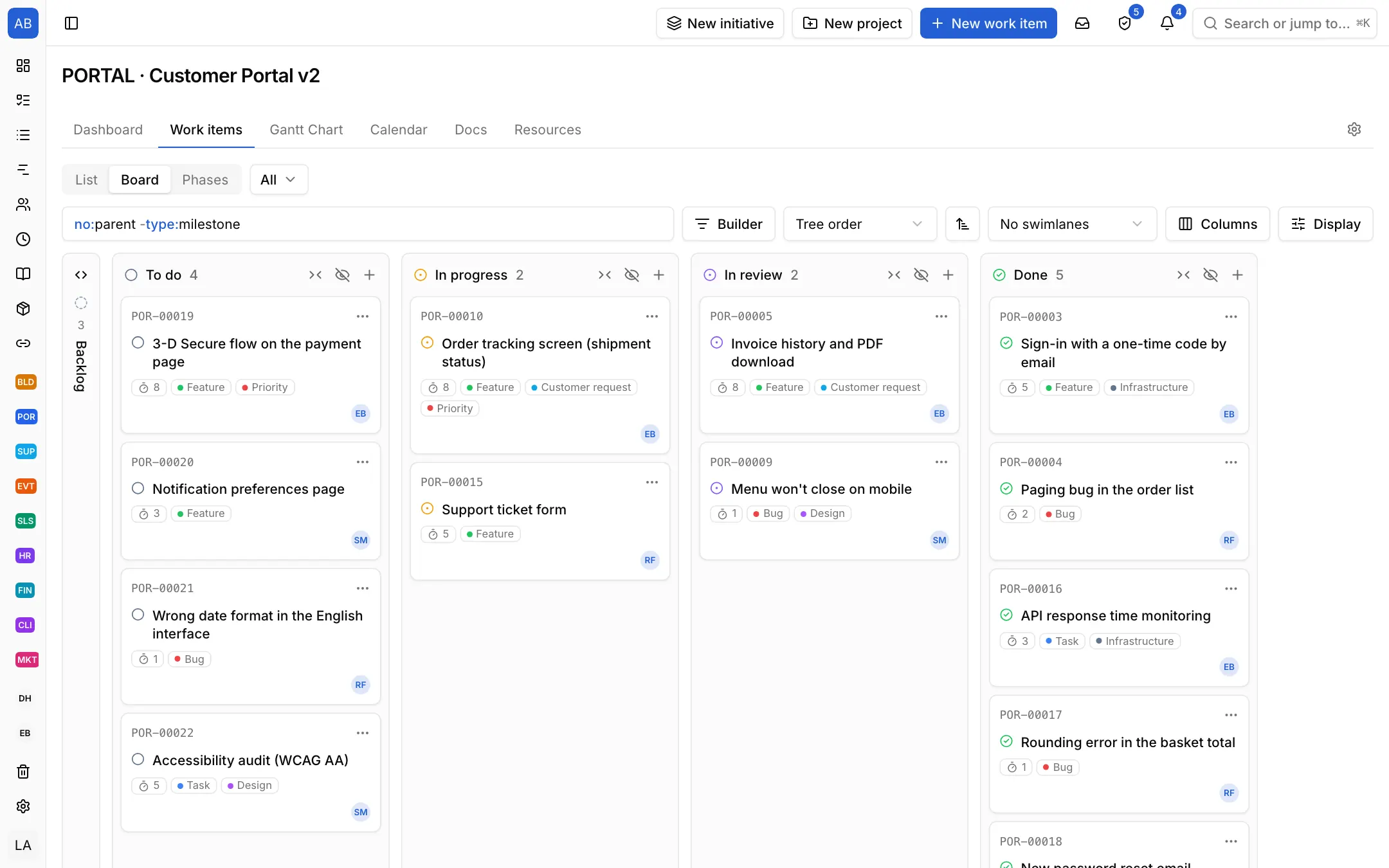
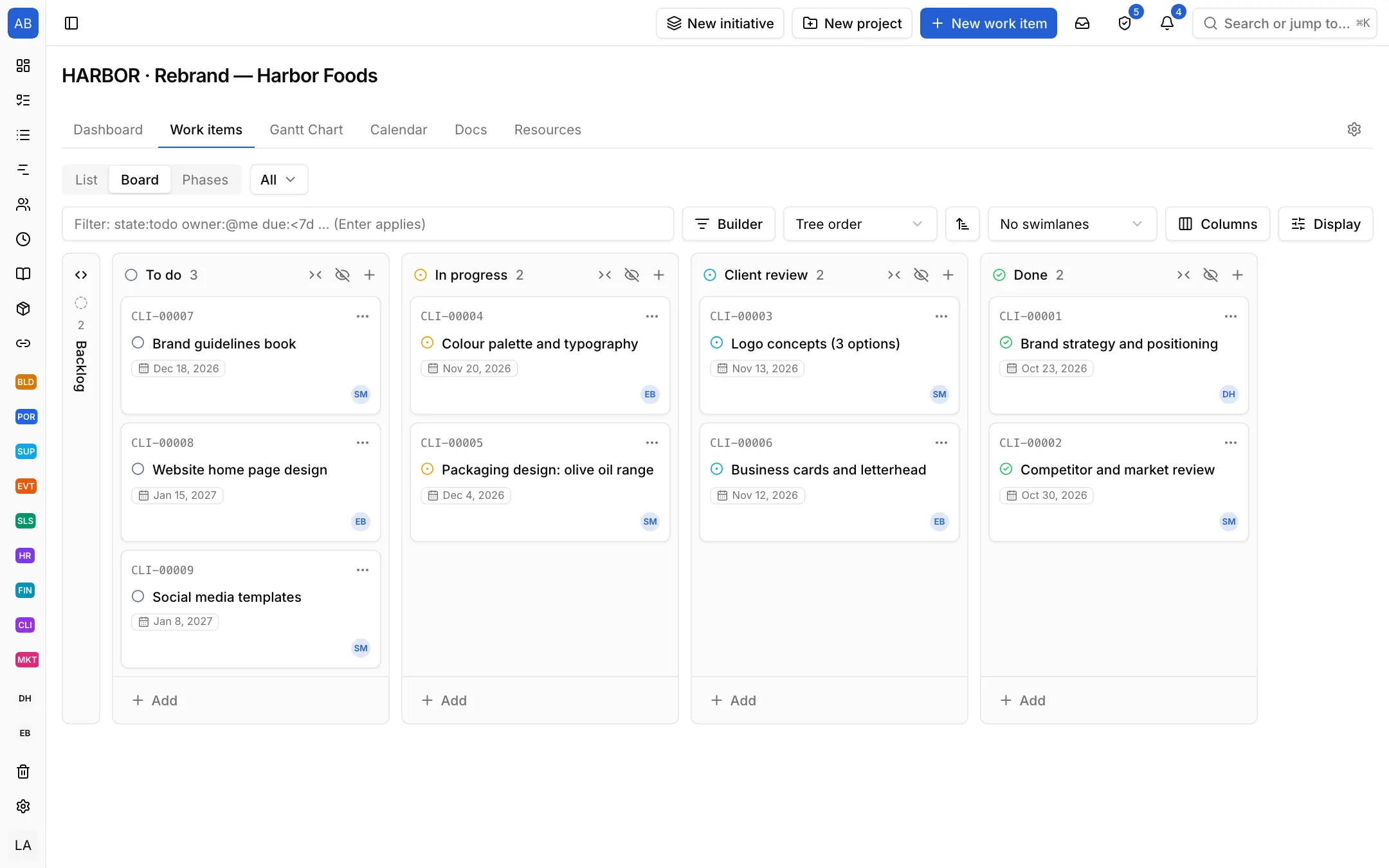
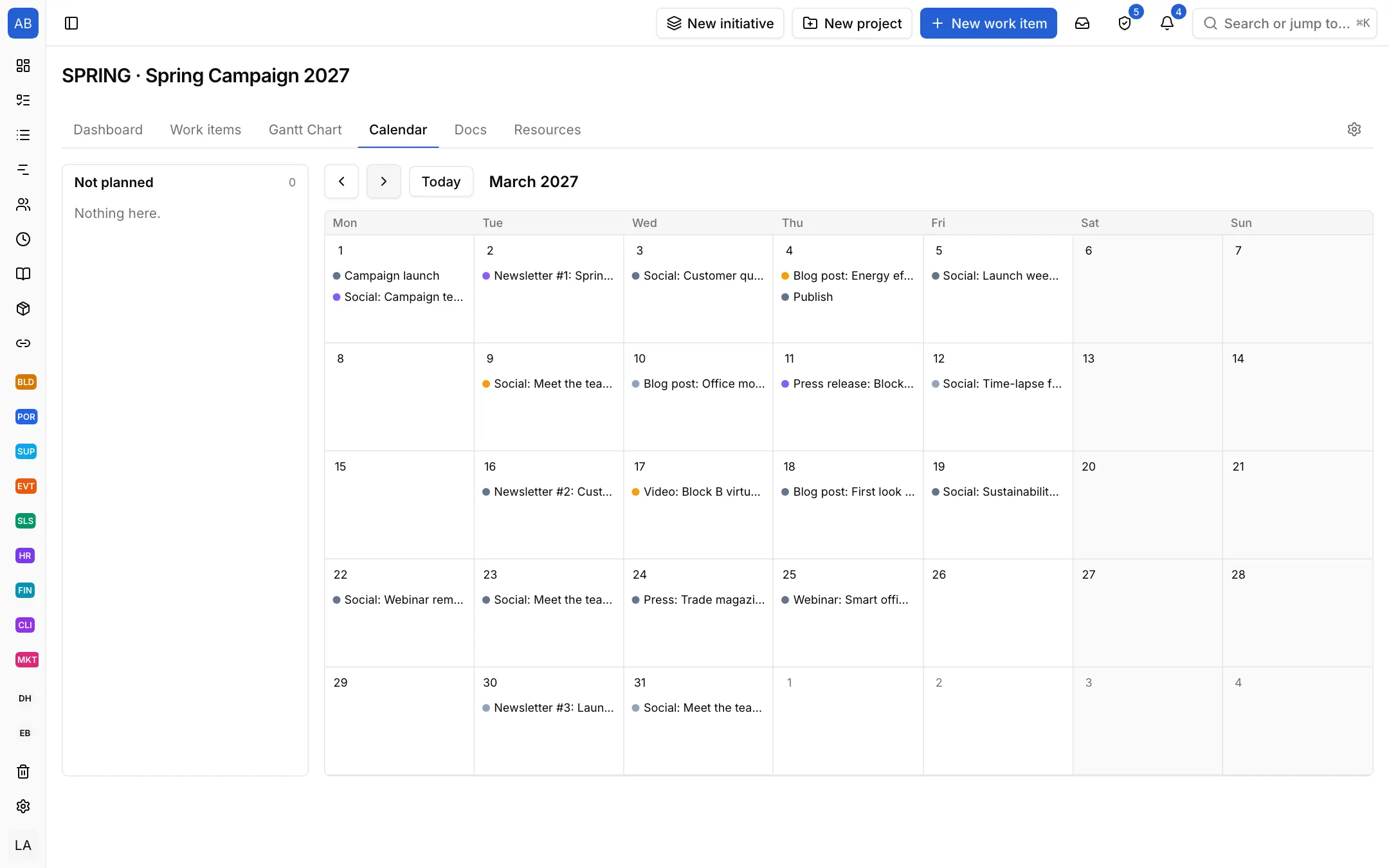
You do not start from a blank page. A template brings that kind of work's states, item types, item templates and starting views: the site team says "Inspection", sales "Negotiation", recruiting "Interview". In one workspace every team works its own way.

Your process is different? Change it yourself

A ready setup is a start; in the project's settings you fit it to your work in a few clicks.

  • Add, rename and reorder the states
  • Define your own item types and custom fields
  • Put your own steps in the item templates
  • Keep the project as a template so the next ones start ready

Ten ready setups: General, Software, Construction, Support, Marketing, Recruiting, Sales, Event, Month-end close, Client project.

Your kind of work is not listed?

Start with the General setup: it comes with phases, tasks and milestones; you add your own states, item types and fields. When it fits, keep the project as a template.

Start with the General setup

What sets Neoli apart

One tool, every industry
With ten ready setups, site, software, sales, recruiting and campaign teams work in one workspace, each its own way.
A real schedule
Four dependency types, lag, critical path and baselines; holidays from the work calendar.
Set it up and change it yourself
From sign-up to your first project in minutes; you change the states, fields and templates yourself, no consultant or code.
Accountable AI
Agents are members with their own role, work only in allowed projects, and every action is logged.
Turkish and English
The interface in both languages, local holidays, prices in your region's currency.
Your customers in the loop
Customers see only their own requests; SLA targets are tracked in working days.
Teams and custom roles
Teams, @team mentions, your own roles and joining by your company's domain.
An audit log, and your data is yours
Every change is recorded with who, when and what; export the whole workspace in one click.

A project manager's day

What Neoli saves you in a day, in three moments.

8:30

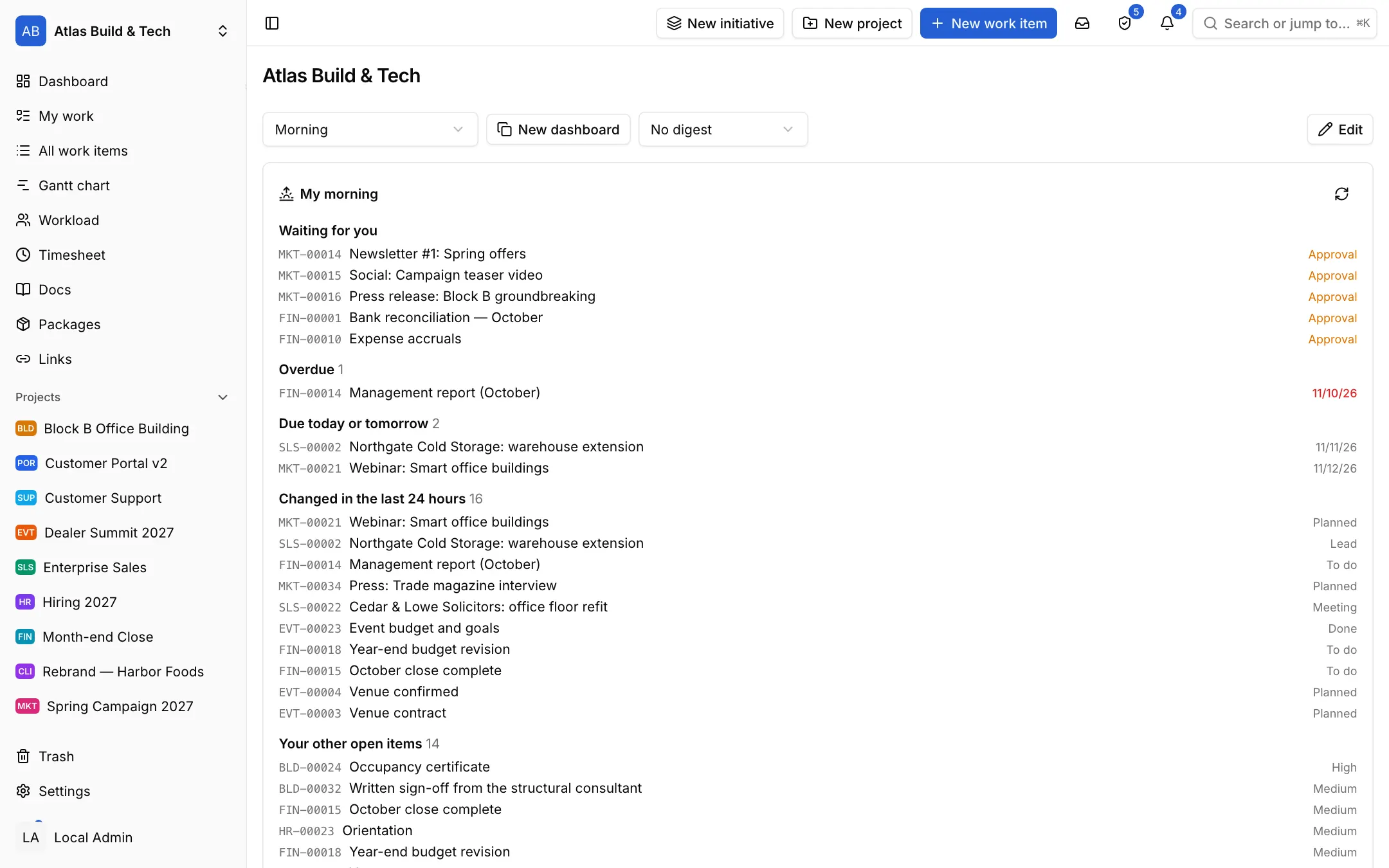
Start the day knowing what changed

The morning brief puts what waits for your approval, what is overdue, what is due today and what changed since yesterday in one list; the same comes by e-mail.

  1. What waits for your approval, at the top
  2. Overdue, and due today or tomorrow
  3. What the team changed in the last 24 hours
The morning brief on the dashboard: waiting for you, overdue, due today or tomorrow, changed in the last 24 hours

10:15

See at once how a delay moves the handover

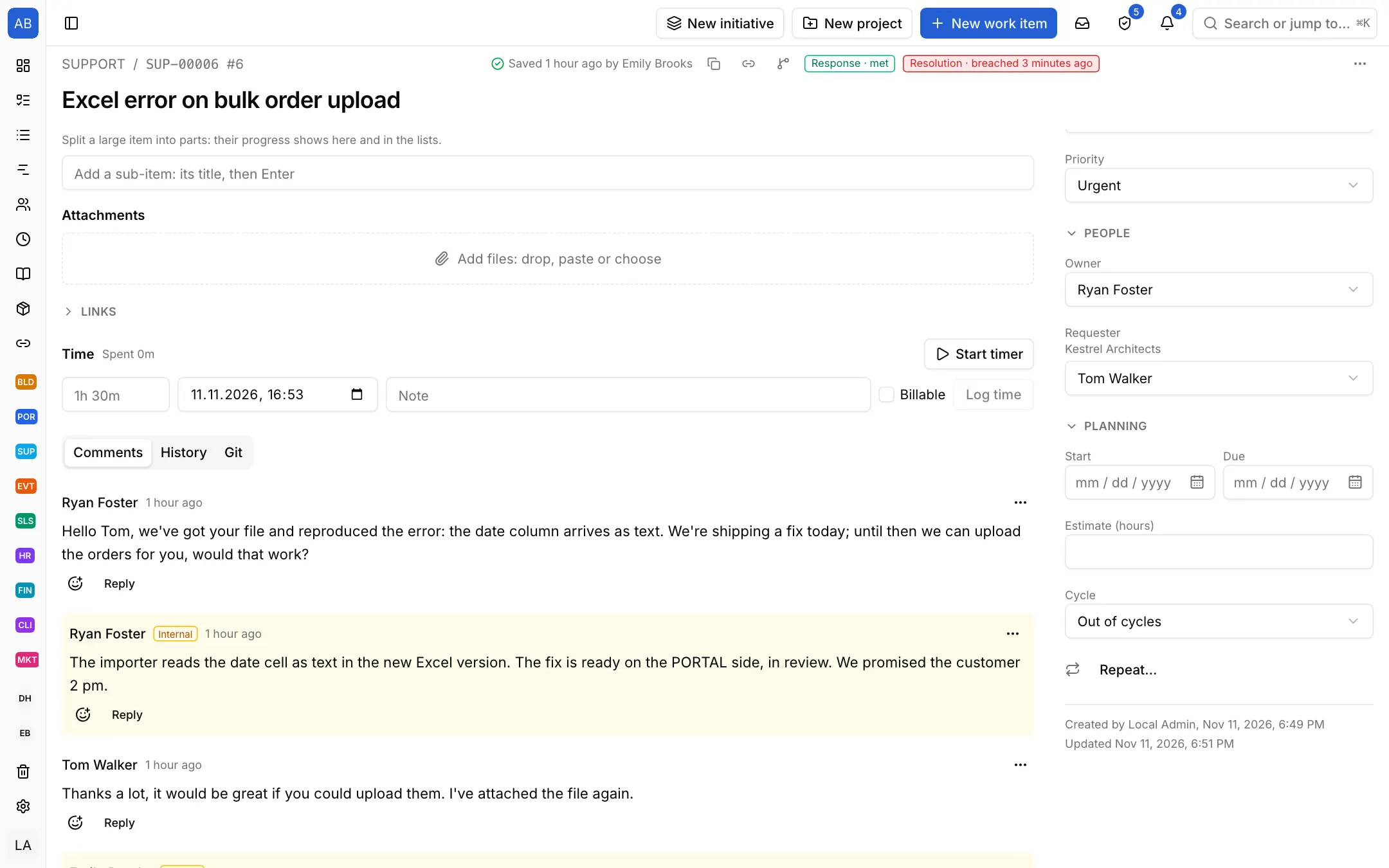
Excavation slipped two weeks. The Gantt chart moves the work that depends on it, shows the critical path in red, and a grey line tells the difference from the approved programme.

  1. Critical path and the approved programme on
  2. The slipped task; the grey line under it is its approved place
  3. The work after it moved by itself
An office building's Gantt chart: the critical path, a slipped task and its approved dates

2:00 pm

Do not lose sight of a customer's request

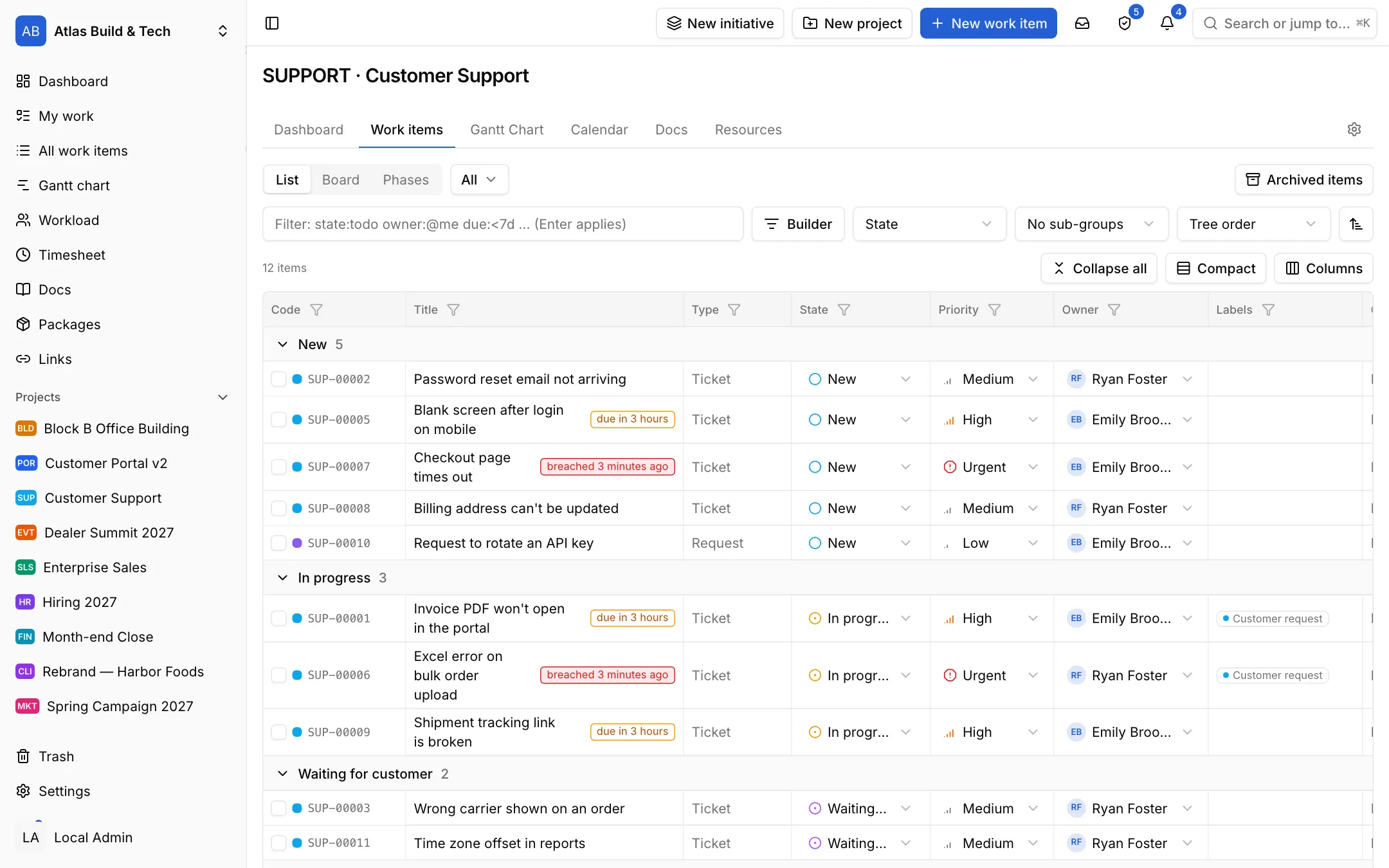
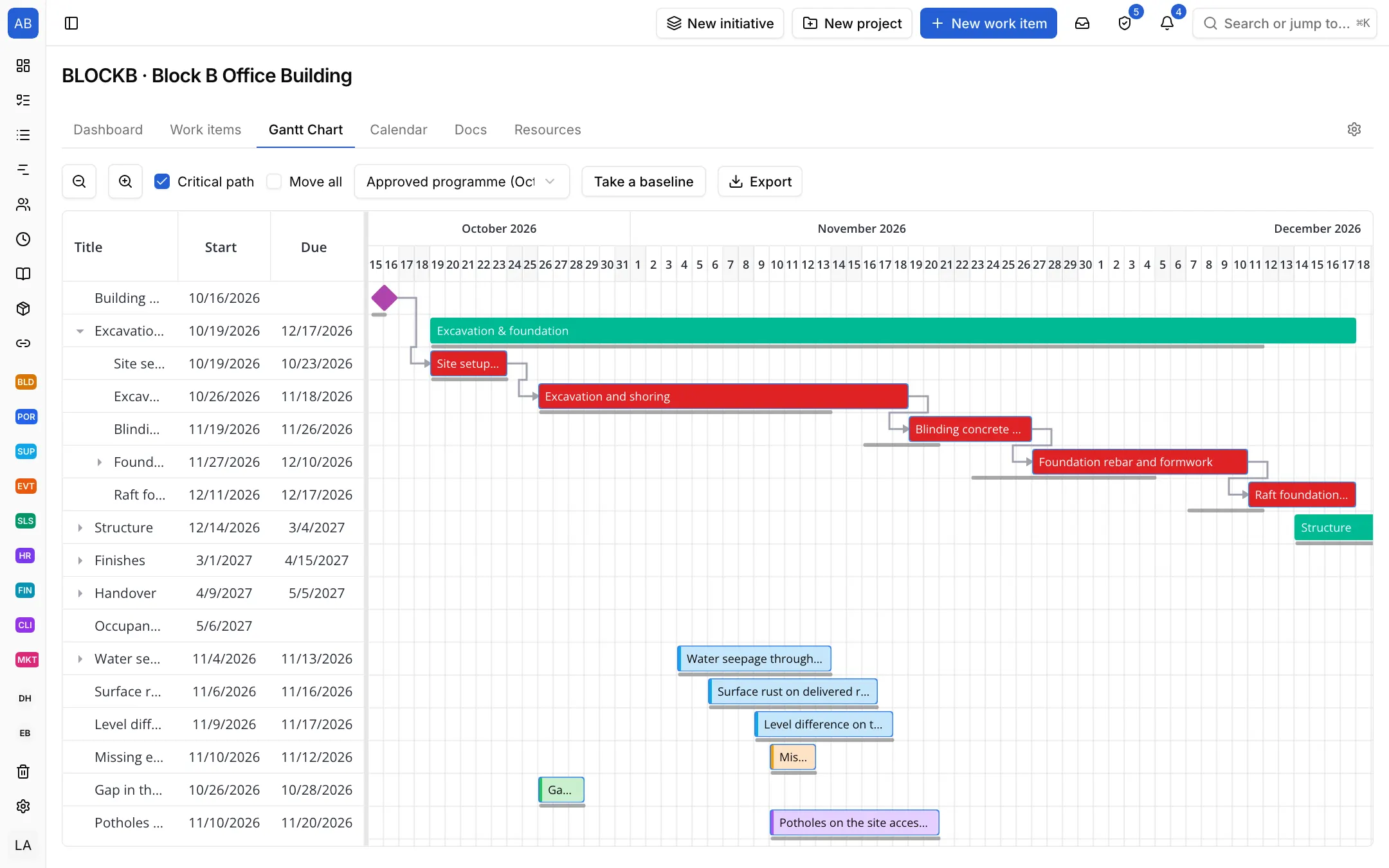
The customer files it in their portal; the first response and resolution clocks start, in working hours. Your reply goes to the customer, an internal note only to the team.

  1. Response and resolution targets; a missed one turns red
  2. The reply that goes to the customer
  3. An internal note only the team sees
A support ticket: response and resolution targets, the reply to the customer and the team's internal note

All features

Frequently asked questions

How does the setup for my industry work?

You pick a template when you start a project; its states, item types, item templates, checklists and views are set up in a second. Construction, software, support, marketing, recruiting, sales, events, month-end close and client projects are ready, and you can keep your own setup as a template.

Who is Neoli for?

Any team that plans and tracks work: construction, software, marketing, operations, HR, legal and support. Software words come only with the software template.

Can I use Neoli from the terminal or an AI assistant?

Yes. The neoli command line tool and terminal UI, the REST API, webhooks and the MCP server use the same actions and permissions as the web app; assistants such as Claude can read and update your items.

Does it work with GitHub and Gitea?

Yes. Branches, commits and pull requests that mention an item's code are linked to it; rules you choose move the item when it is merged.

Which languages does Neoli speak?

The app is in Turkish and English; everyone picks their language, time zone and first day of the week.

For your team's technical side

Developers reach the same plan from the terminal, the API or an AI assistant; the rest of the team works in the web app.

  • Terminal UI and command line
  • REST API and webhooks
  • AI assistants (MCP)
  • GitHub and Gitea
Technical details

Bring your team's plan into one place

Open your workspace in a minute and invite your team.

Start free