The ticket about to miss its target stands out
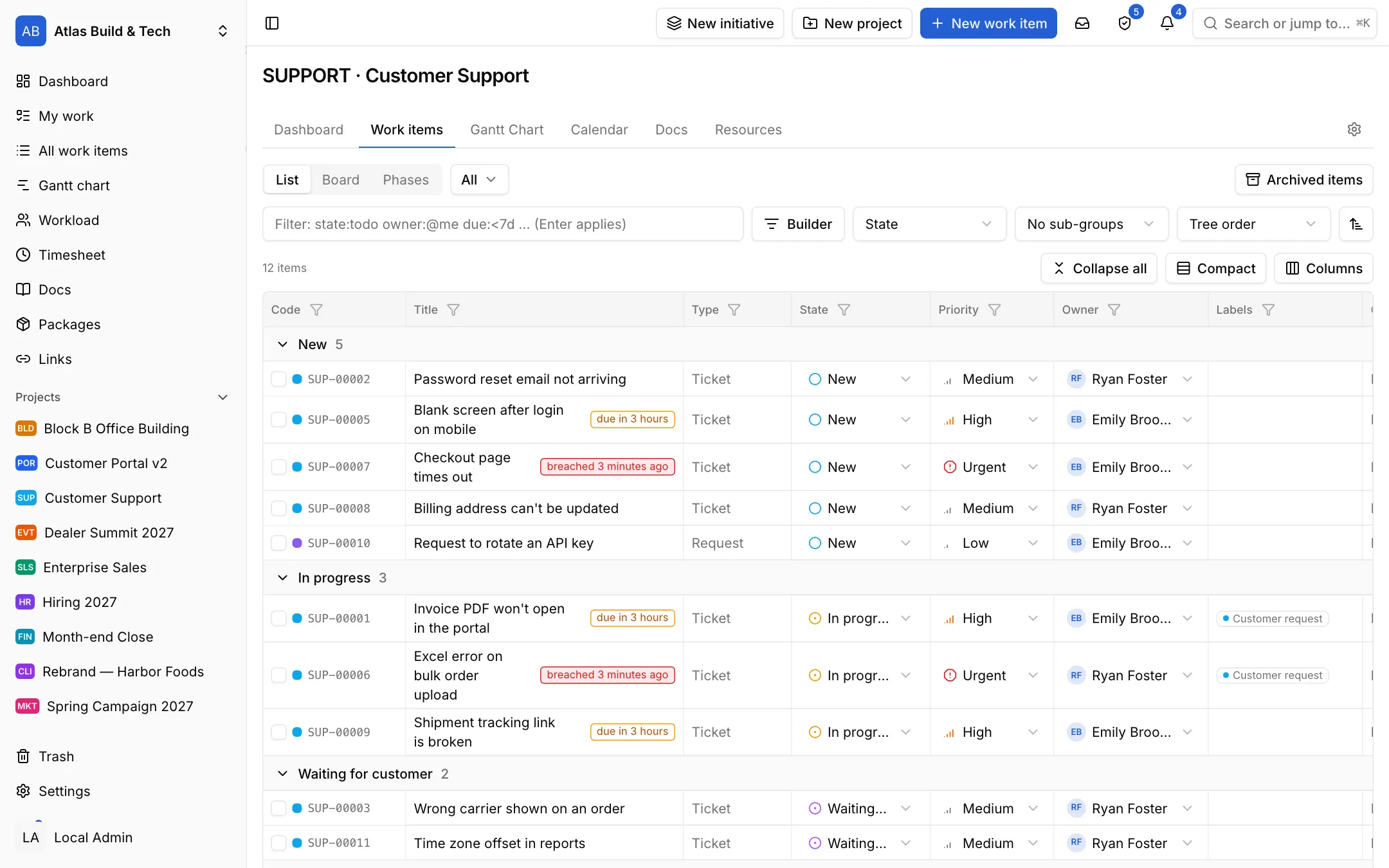
Set first-response and resolution targets on the project, in working days. The list shows each ticket's SLA state; at-risk and breached tickets are marked, so you know what to take first.

Industries / Support
Customers open their requests in their own portal and see only their own. First-response and resolution targets are counted in working days, and a ticket about to miss its target is marked in the list.
The problem
Requests arrive by e-mail, by phone and in chat. Who will answer, how long the customer has been waiting and whether the promised time has passed only come out when the customer calls again.
Set first-response and resolution targets on the project, in working days. The list shows each ticket's SLA state; at-risk and breached tickets are marked, so you know what to take first.
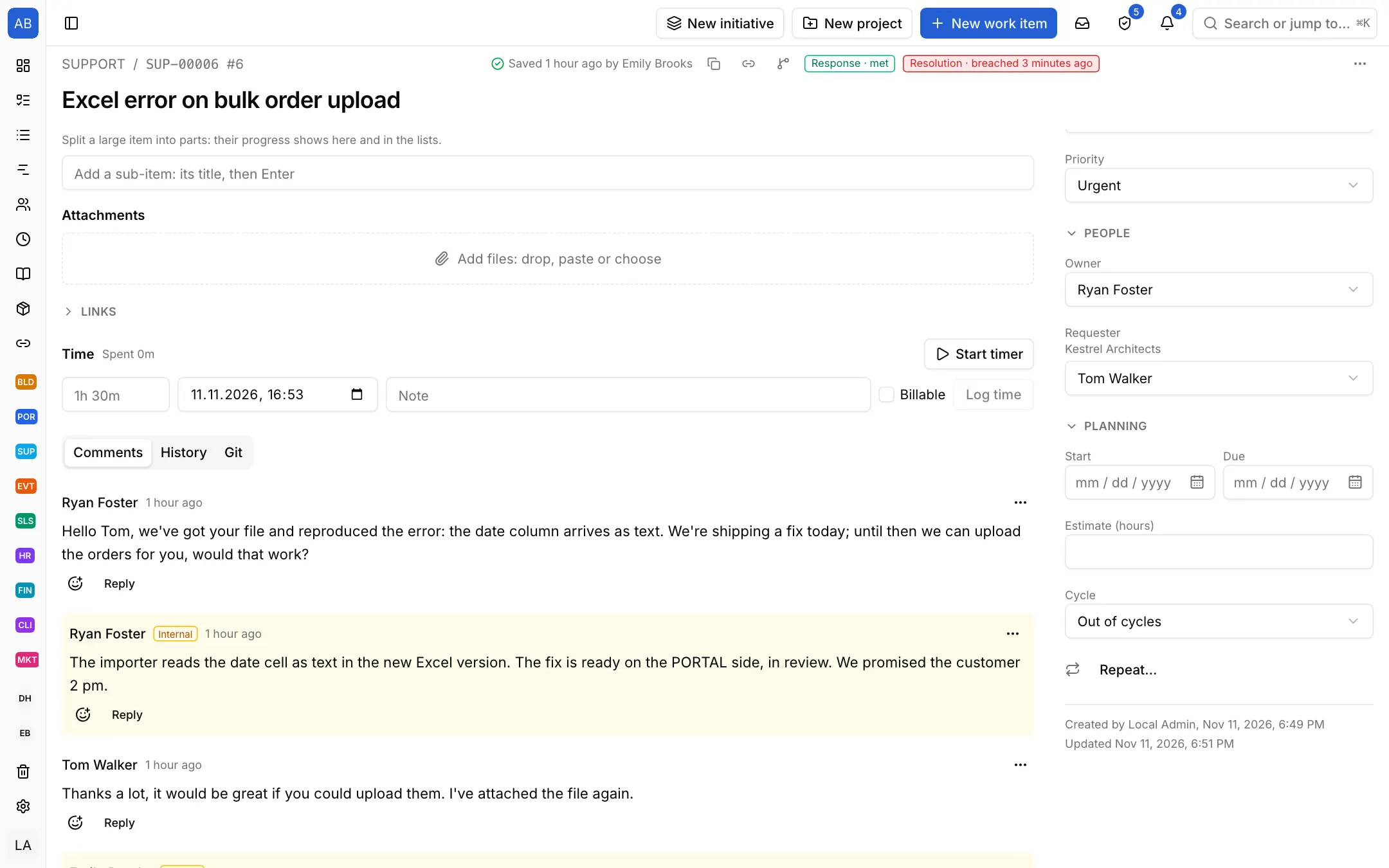
Write the reply to the customer and the team's own note on the same ticket; the customer never sees the internal note. The ticket's whole history, files and linked items stay in one place.
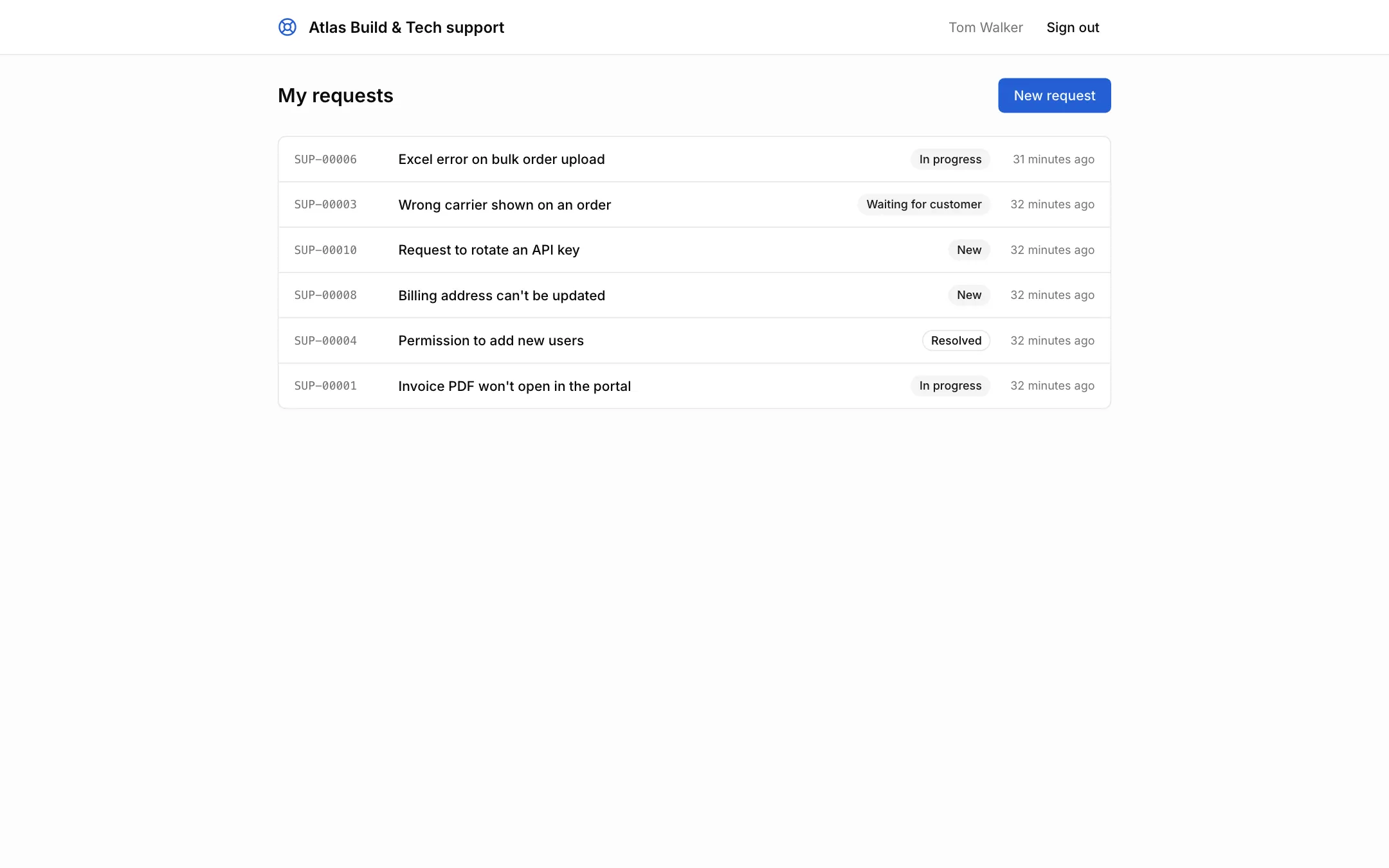
Customers open requests in the portal, read the replies there and see only their own tickets. They no longer need to call to ask how things stand.
Each setup is a starting point drawn from how that kind of work commonly runs: the state names, item types and steps come from the words those teams use. It does not know your process, so everything in it is yours to change. Tell us what is missing at destek@neoli.app and we improve the setups.
People you invite as customers file requests in the portal and see only their own; requests e-mailed to the project can become tickets too.
You set first response and resolution targets by priority in the project's settings; the clock runs in the work calendar's hours and stops in waiting states such as "Waiting for customer".
No. Your reply goes to the customer; a comment you write as an internal note is never shown to them.
Start with the General setup: it comes with phases, tasks and milestones; you add your own states, item types and fields. When it fits, keep the project as a template.
Start with the General setupOpen your workspace in a minute and invite your team.
Start free