Industries / Construction

Work tracking for construction projects

Phases, work packages and milestones come set up with their dependencies. A defect found on site is logged with its photo and the person responsible; when a task runs late you see whether the handover date moves without waiting for the weekly meeting.

The problem

When a task runs late, nobody knows if the handover moves

The schedule lives in a spreadsheet, defects in chat groups, inspection notes in a notebook. When the formwork comes off a week late, which tasks slip and whether the handover is at risk only comes out at the weekly meeting.

  • The schedule is updated by hand, so it does not show what is happening on site.
  • A defect reported with a photo gets lost among messages; nobody checks that it was closed.
  • The first schedule and today's cannot be put side by side, so nobody knows where the delay began.

How Neoli solves it

Dependencies, the critical path and a baseline

Link tasks finish-to-start; when one slips, the tasks that depend on it move with it. Tasks on the critical path are marked, and a baseline shows the first schedule under today's bars.

  • Four dependency types, with lag
  • Working days and public holidays from the workspace calendar
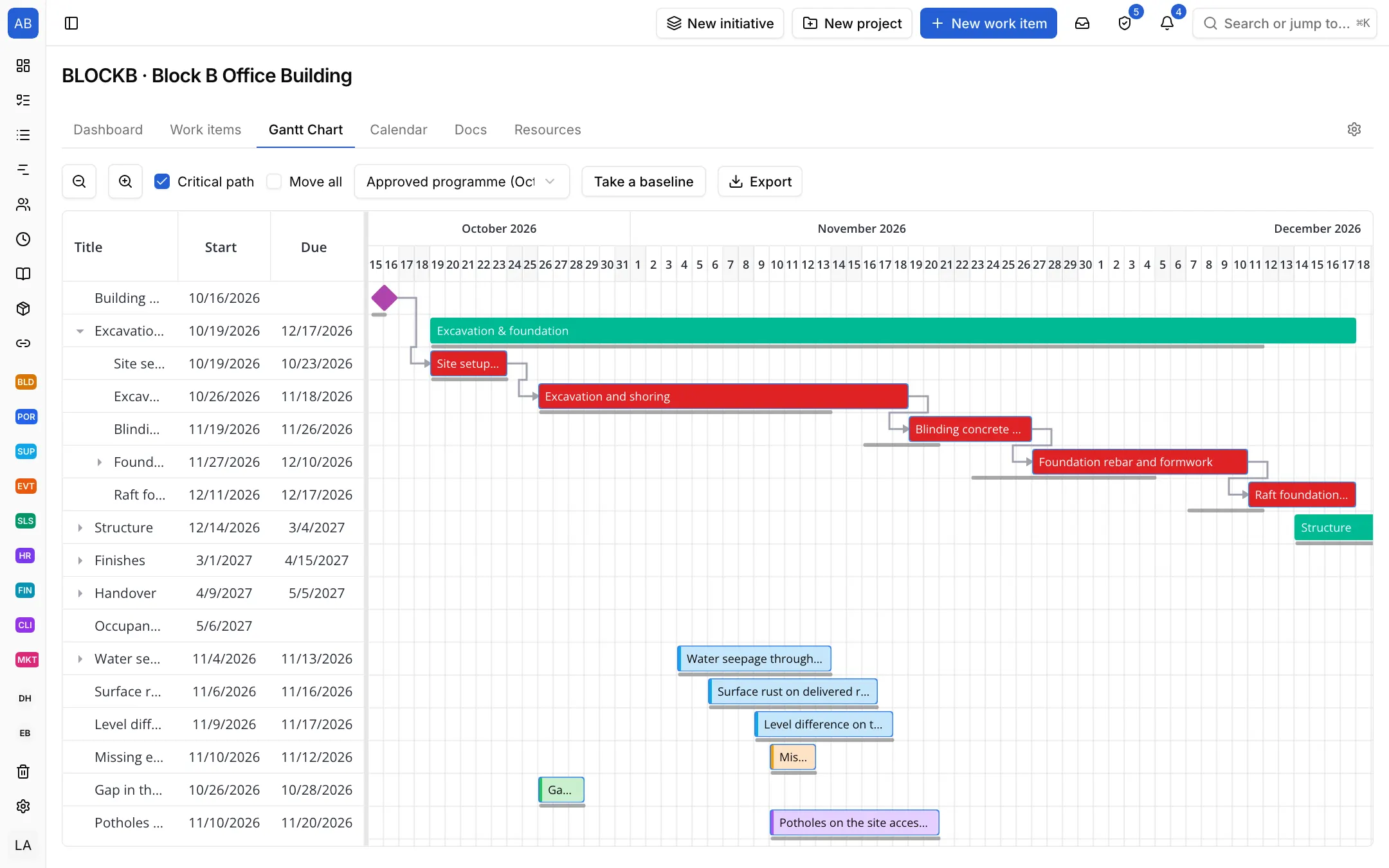
An office building's Gantt chart: phases, dependencies, the critical path and a baseline

Work waiting for inspection, and defects, at a glance

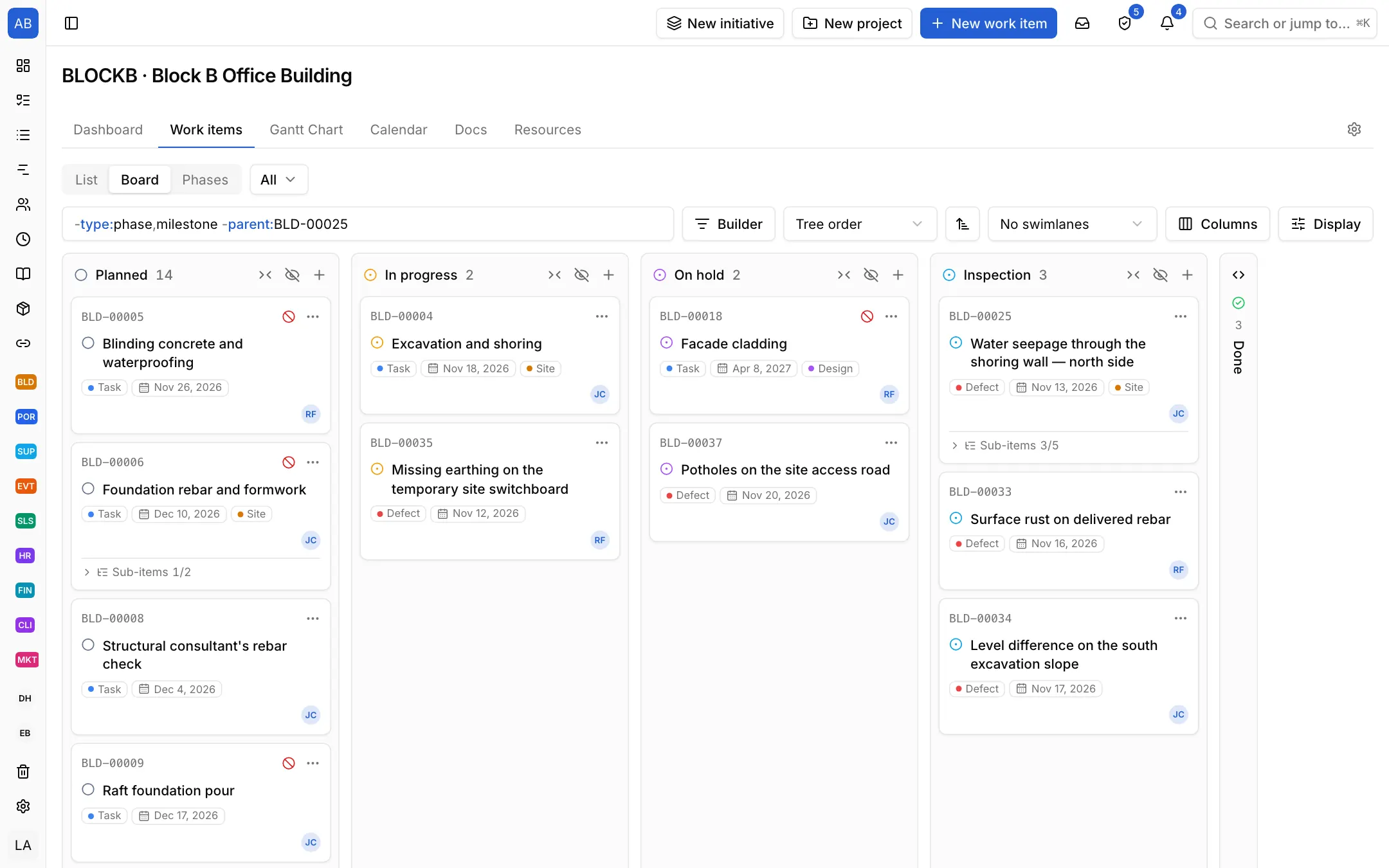
A finished task first moves to Inspection; anything the inspection finds is opened as a Defect and waits in the same column. The board shows who has what and what is waiting to be checked.

A construction project's board: tasks and defects in Planned, In progress, On hold, Inspection and Done

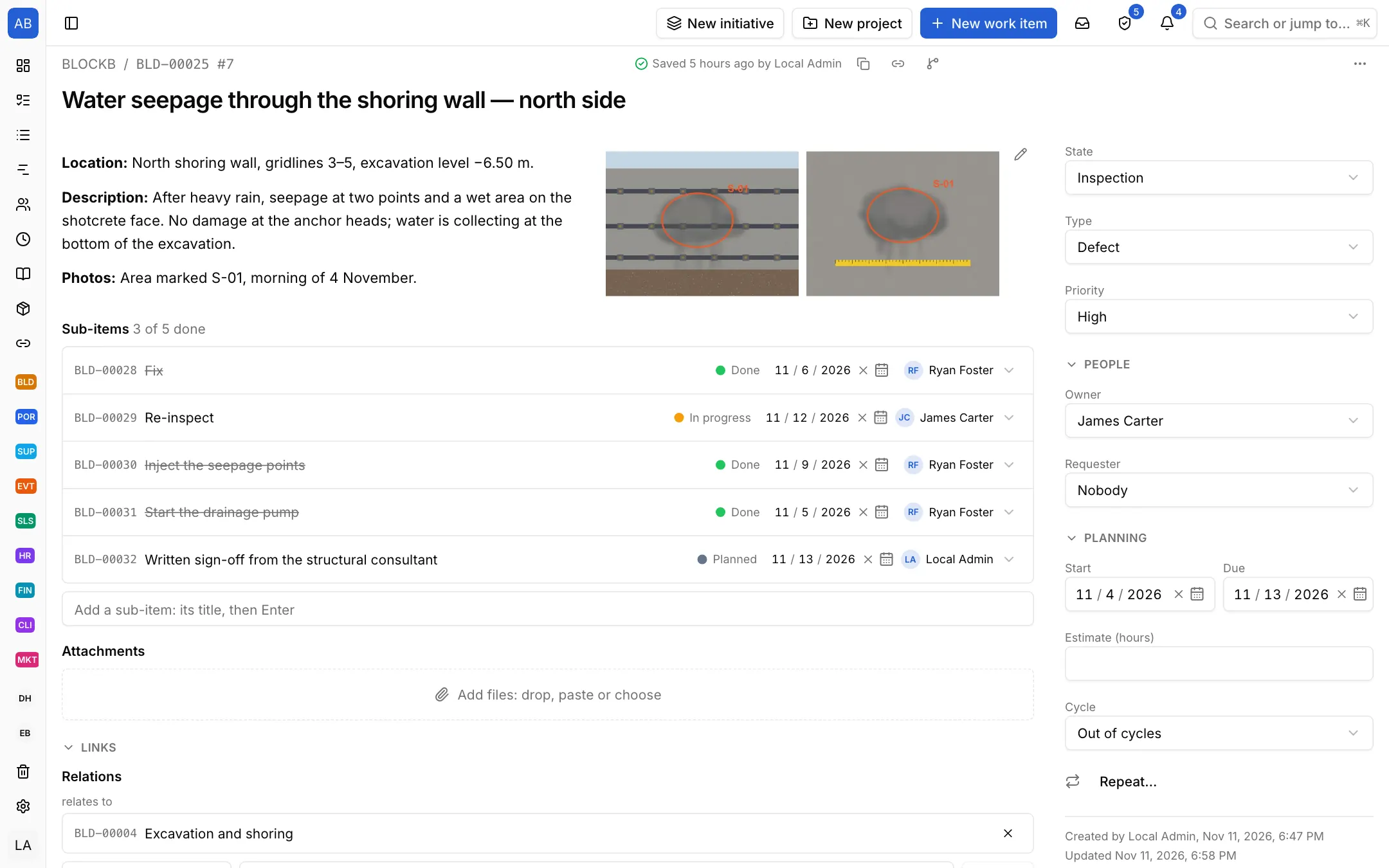
A defect record: photo, owner, sign-off

A defect keeps the photo from site, the location, the person responsible and the fix steps together, linked to its work package. When the fix is done it is inspected again and closed; its history stays on the record.

A defect record: location, description, site photos, fix steps and the linked work package

What comes set up

States

  1. Planned
  2. In progress
  3. On hold
  4. Inspection
  5. Done

Item types

  • Phase
  • Milestone
  • Task
  • Defect
  • Progress payment

Also ready

  • Work package template: order materials, execution, inspection
  • Defect template: fix and re-inspect
  • Progress payment template: quantity survey, payment report, site engineer's approval, invoice
  • Daily site report template: weather and crew, work done, problems, tomorrow
  • Estimates in hours, sub-items up to five levels
  • Ready views: by phase, my open work, due this week, overdue, board by owner

Where do these setups come from?

Each setup is a starting point drawn from how that kind of work commonly runs: the state names, item types and steps come from the words those teams use. It does not know your process, so everything in it is yours to change. Tell us what is missing at destek@neoli.app and we improve the setups.

Frequently asked questions

How do I track progress payments and quantities?

The construction setup comes with a Progress payment item type and template: quantity survey, payment report, site engineer's approval and invoice open as sub-items. You write the period, quantities and amount in the description, attach the documents and keep who approved and when on record.

How do I work with subcontractors?

Invite subcontractor crews to the workspace and add them to the project with their own role; assign them work packages and defects. Photos, comments and fix steps stay on the same record.

When a task slips, how do I see the effect on handover?

When items are linked by dependencies, the work after a slipped task moves with it; the critical path and the difference from the approved programme show on the Gantt chart. Public holidays and working days come from the workspace's calendar.

Other industries

Your kind of work is not listed?

Start with the General setup: it comes with phases, tasks and milestones; you add your own states, item types and fields. When it fits, keep the project as a template.

Start with the General setup

Bring your team's plan into one place

Open your workspace in a minute and invite your team.

Start free