Deliverables in client review
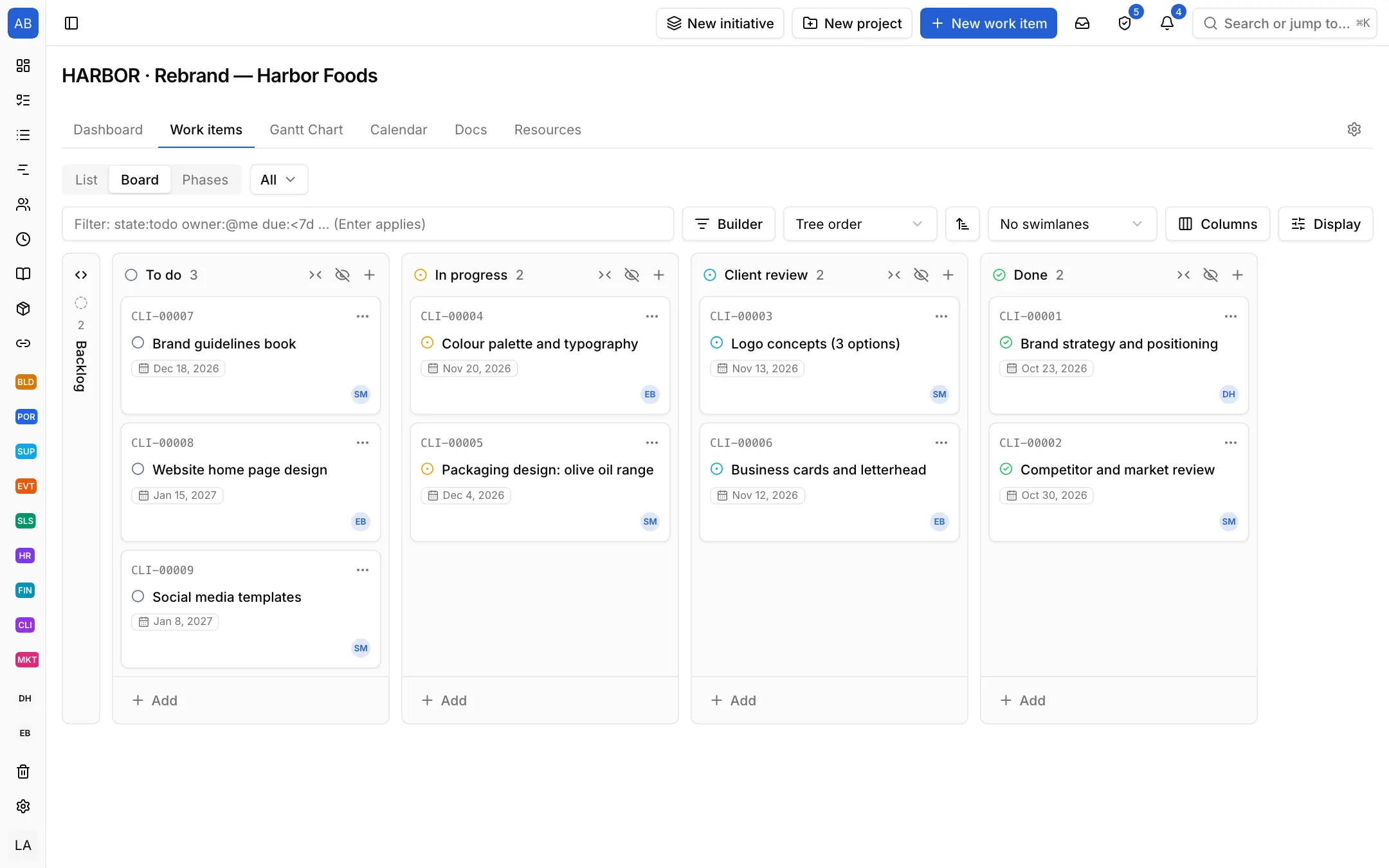
To do, In progress, Client review and Done come set up. A deliverable waiting on the client sits in its own column, so you see what needs a reminder.

Industries / Client project
Every deliverable moves from preparation to client sign-off in one flow. Time is logged on the work and marked billable, and project updates share the status regularly.
The problem
Deliverables go out by e-mail, revision requests come back in other threads. Which deliverable is with the client, how many hours went in and whether the budget was exceeded only come out at month end, while preparing the invoice.
To do, In progress, Client review and Done come set up. A deliverable waiting on the client sits in its own column, so you see what needs a reminder.
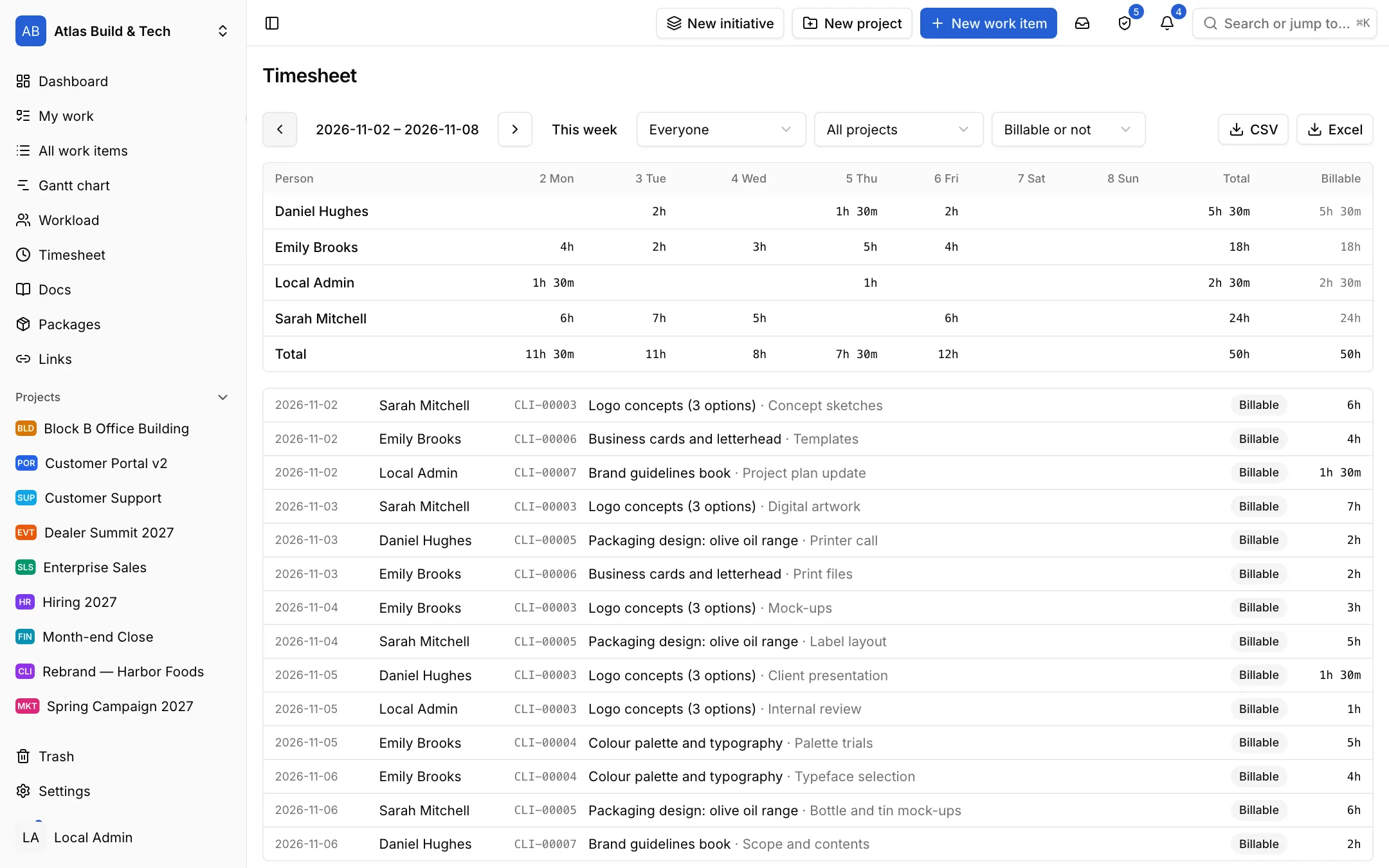
Log time with a timer or by hand and mark it billable. The weekly timesheet shows who spent how long on what; export it for the invoice.
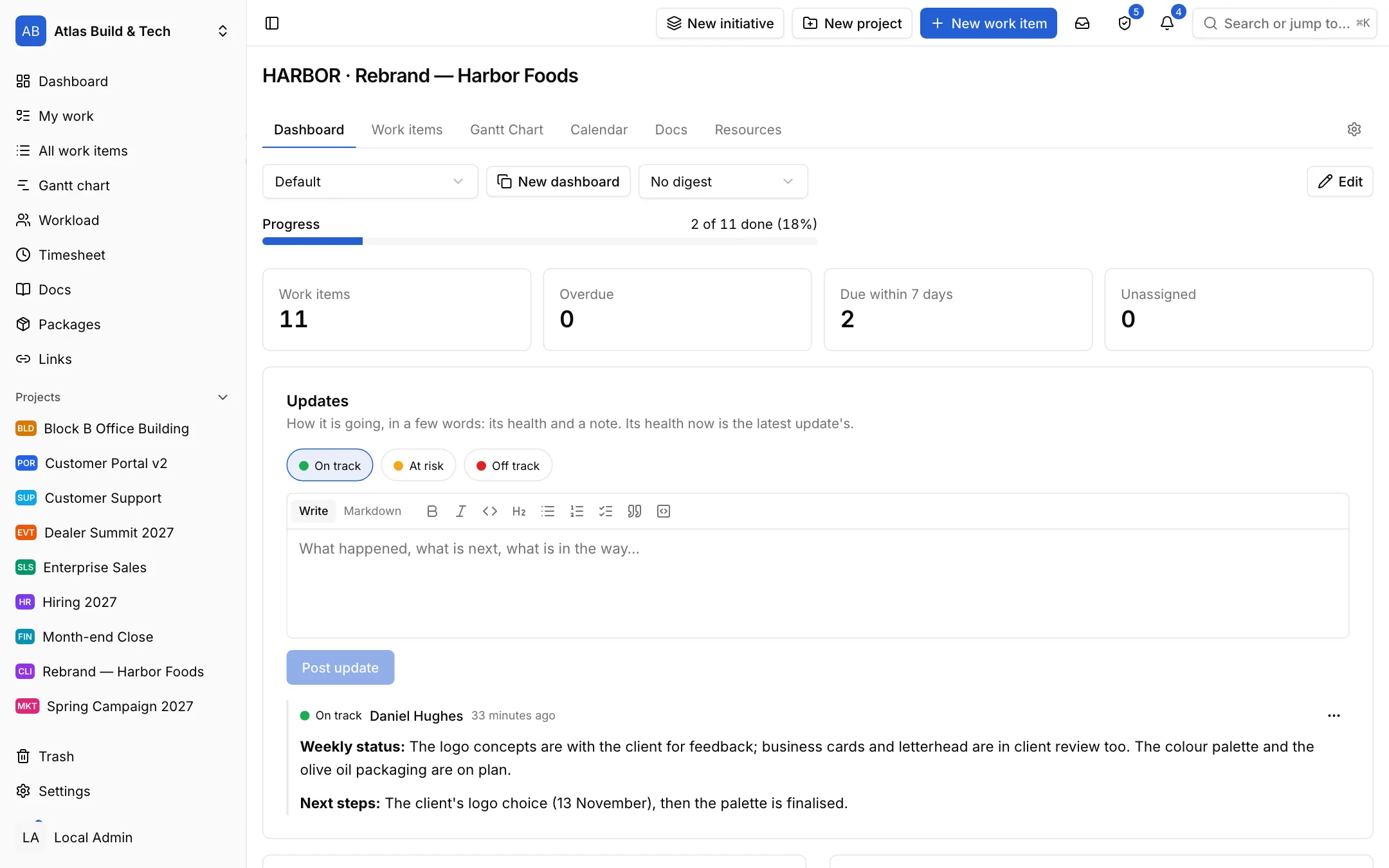
Write the weekly status as a project update: on track, at risk or off track. Updates gather on the project's dashboard, next to its progress and its overdue and due-this-week work.
Each setup is a starting point drawn from how that kind of work commonly runs: the state names, item types and steps come from the words those teams use. It does not know your process, so everything in it is yours to change. Tell us what is missing at destek@neoli.app and we improve the setups.
Invite your client with the customer role; in the portal they see their own requests and the items you share with them.
Mark time as billable when you log it; export the timesheet for a date range as CSV.
The revision round template opens the steps from feedback to sending again; the change request template keeps what is asked, its effect on time and budget and the client's approval on one record.
Start with the General setup: it comes with phases, tasks and milestones; you add your own states, item types and fields. When it fits, keep the project as a template.
Start with the General setupOpen your workspace in a minute and invite your team.
Start free