The candidate pipeline
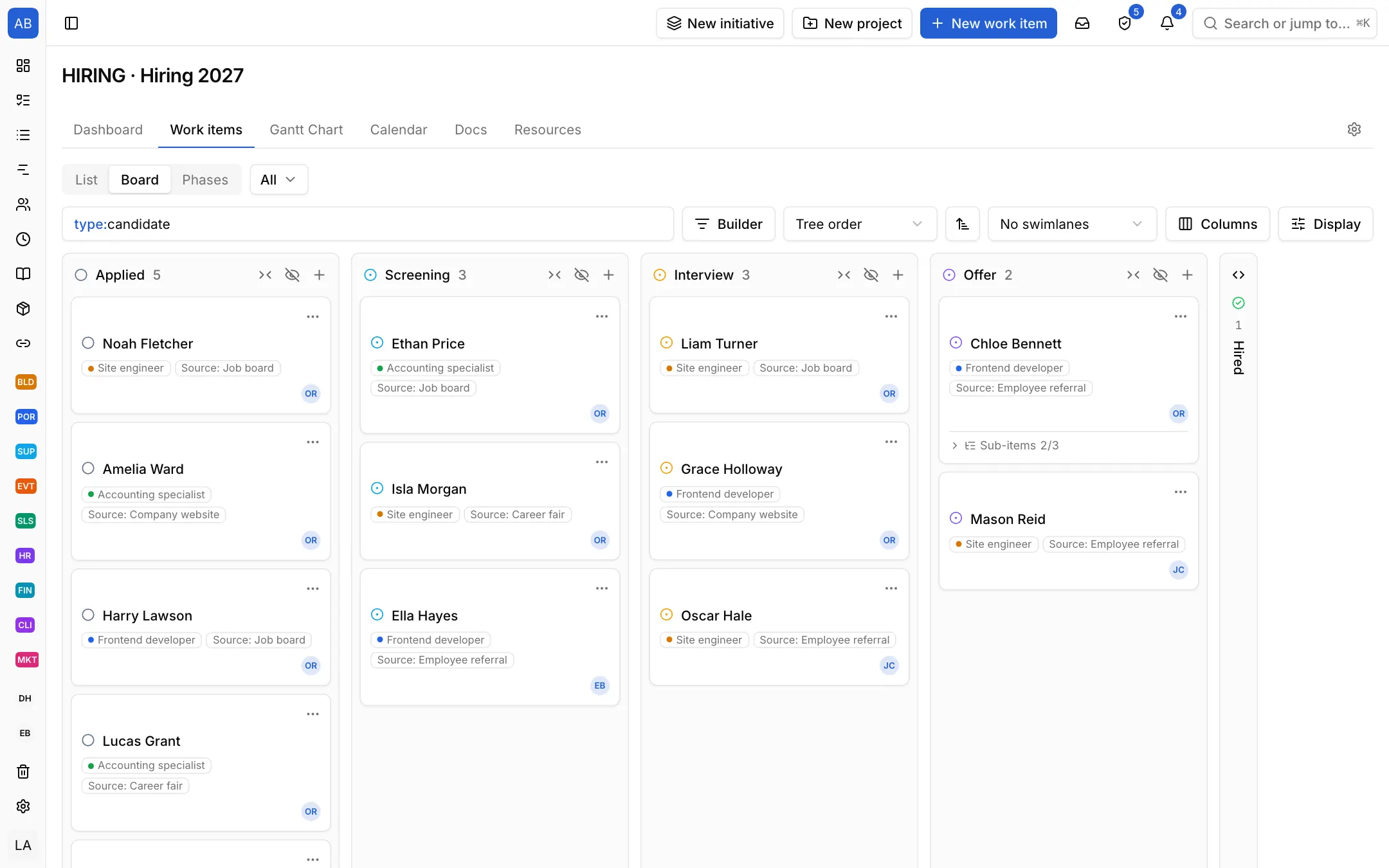
Applied, Screening, Interview, Offer and Hired come set up. Each candidate is a card, with the position as a label and the recruiter on the card. The board shows who is waiting.

Industries / Recruiting
Every candidate is one record: their stage from application to offer, who met them and what was said. For a new hire the onboarding checklist opens from a template, so the first day is not improvised.
The problem
Applications are in e-mail, the candidate list in a spreadsheet, interview notes in everyone's own notebook. A candidate's stage, and who has not been called back, is searched for when someone asks; the new hire's laptop and accounts are left to the last day.
Applied, Screening, Interview, Offer and Hired come set up. Each candidate is a card, with the position as a label and the recruiter on the card. The board shows who is waiting.
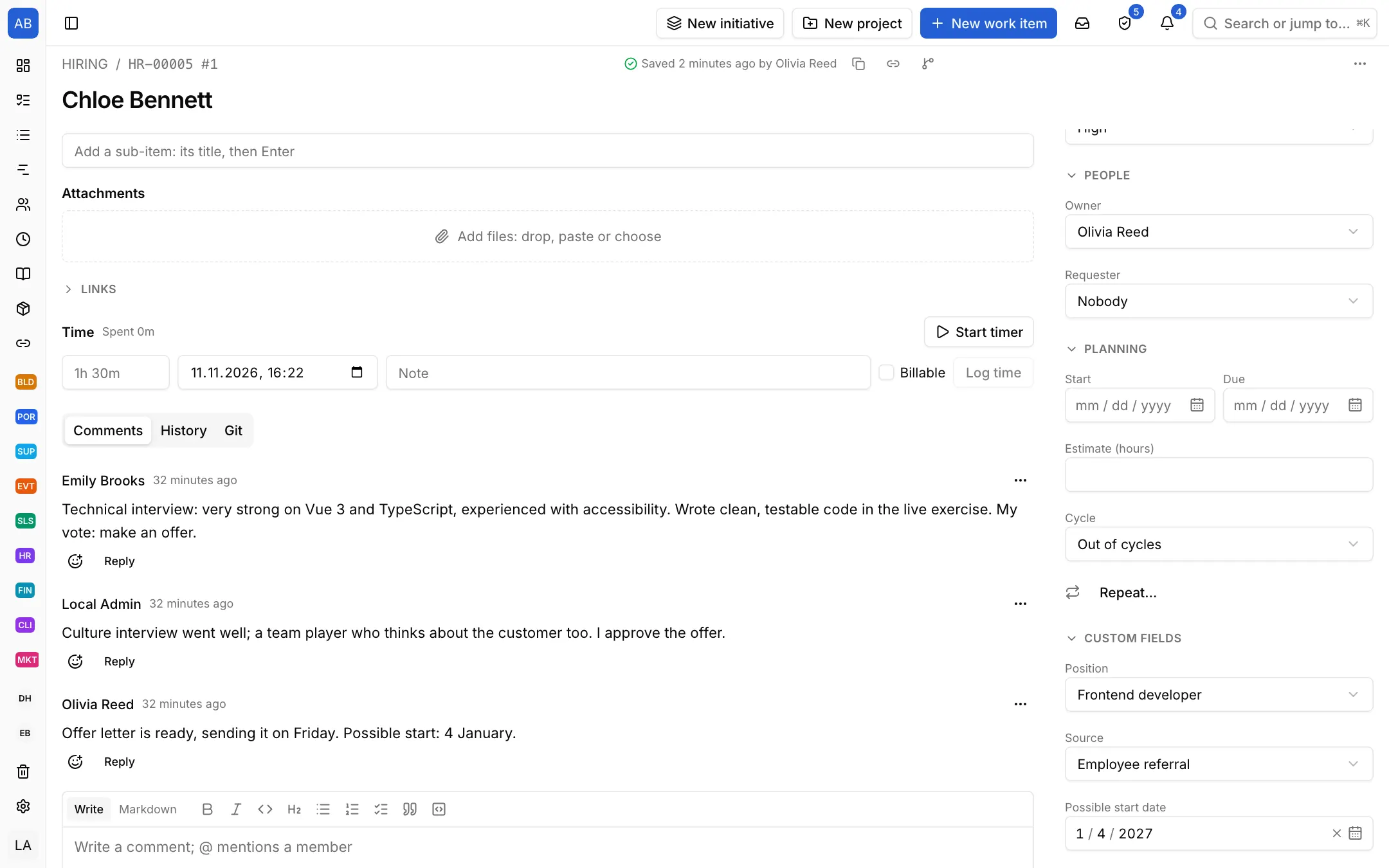
Add your own fields such as position, source and start date; attach the CV, and the interview feedback gathers as comments on the same record. Whoever decides sees everything on one screen.
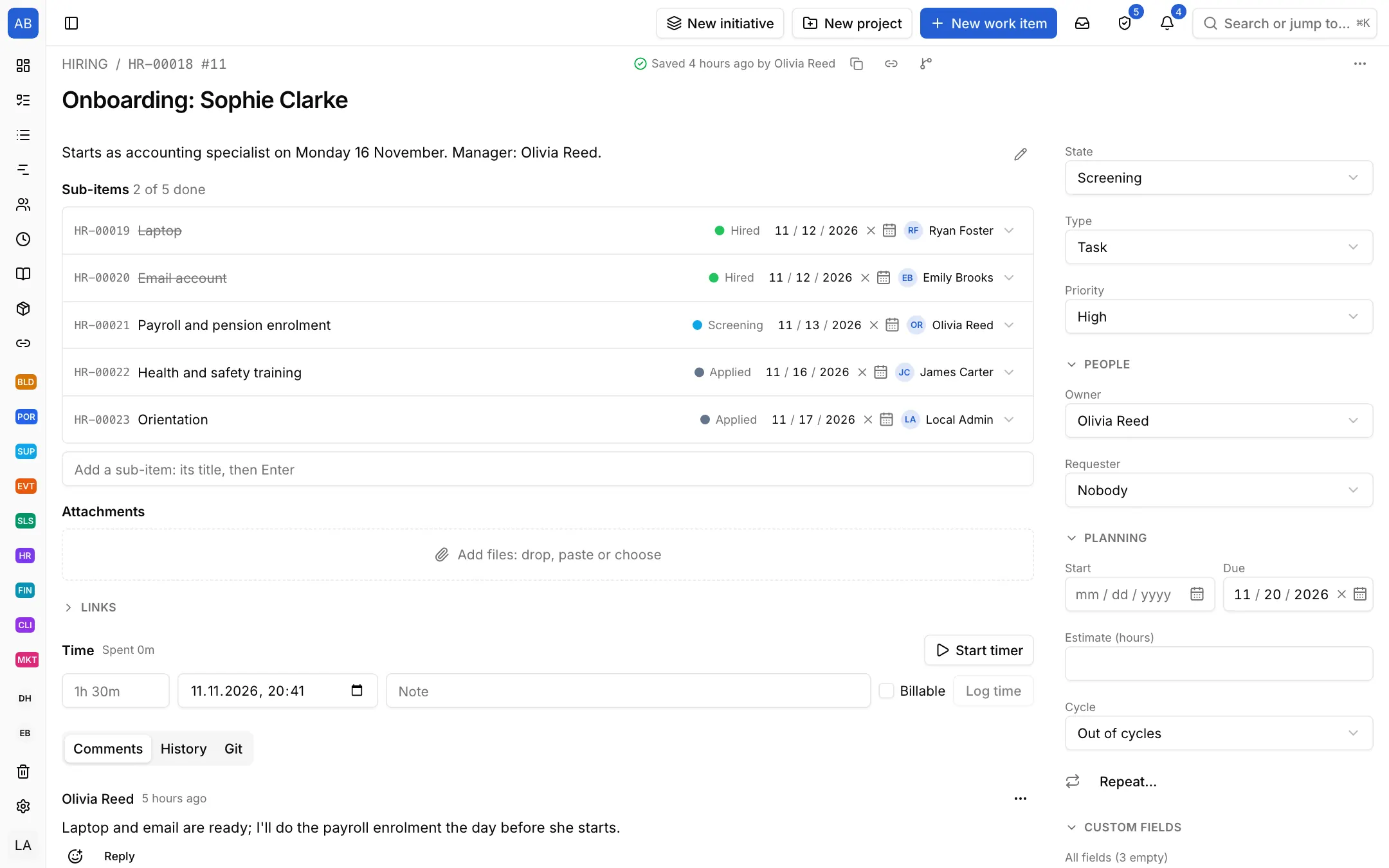
For a new hire the onboarding template opens the steps from paperwork and equipment to the first-week plan and the 30-day check-in; you change the list to fit your company. Each step's date and owner show in its row.
Each setup is a starting point drawn from how that kind of work commonly runs: the state names, item types and steps come from the words those teams use. It does not know your process, so everything in it is yours to change. Tell us what is missing at destek@neoli.app and we improve the setups.
The people you add to the project. If you make a candidate private, only the people on that record and the project's managers see it.
Attach it to the candidate's record as a file; interview feedback gathers on the same record as comments.
Yes. Edit the onboarding template's steps to fit your company and give each step an owner.
Start with the General setup: it comes with phases, tasks and milestones; you add your own states, item types and fields. When it fits, keep the project as a template.
Start with the General setupOpen your workspace in a minute and invite your team.
Start free