A plan built back from the event day
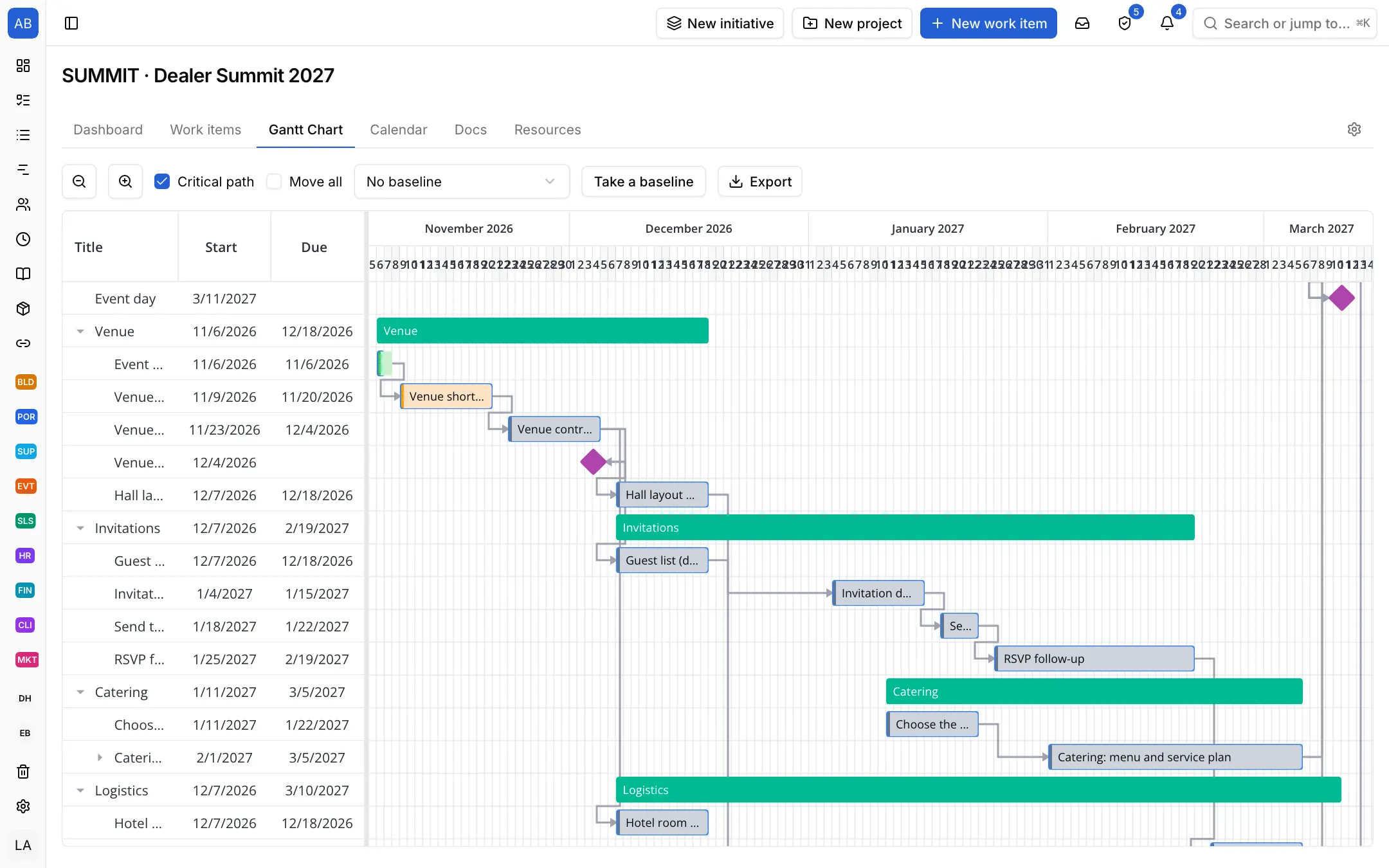
Put the phases and tasks on the Gantt chart with their dependencies and make the event day a milestone. When a task slips, you see how much room is left before the day.

Industries / Event
The event day does not move, so the plan is built back from it. Venue, invitations, catering and logistics sit in one plan with their phases and dependencies; if a late task puts the day at risk, you see it early.
The problem
Venue, invitations, catering and transport are with different people, on different lists. When the invitations run late, the headcount and so the catering run late too, and that only comes out in the last week, with everyone calling everyone.
Put the phases and tasks on the Gantt chart with their dependencies and make the event day a milestone. When a task slips, you see how much room is left before the day.
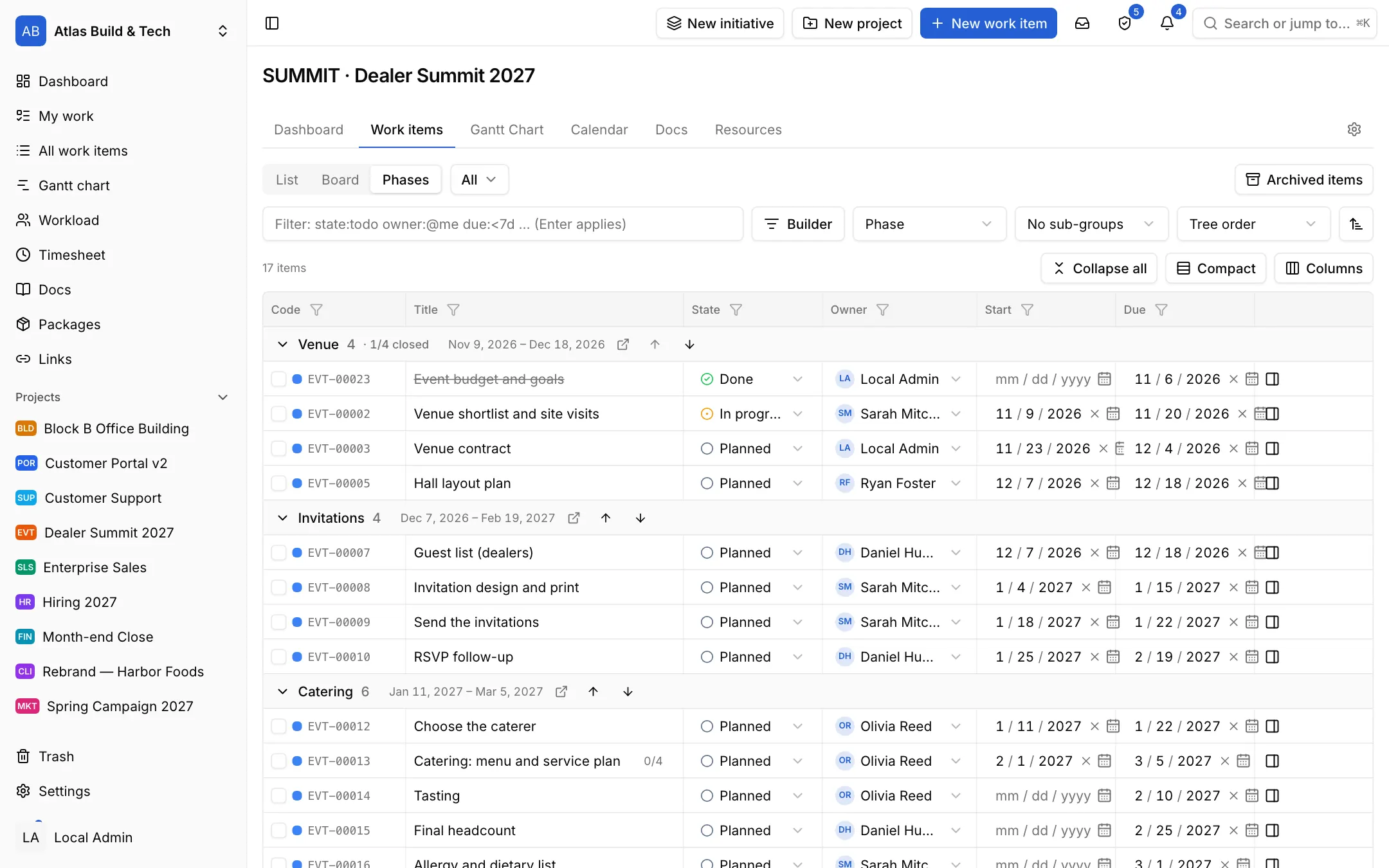
The Phases view gathers the work under venue, invitations, catering and logistics, and shows what is done and what is waiting in each.
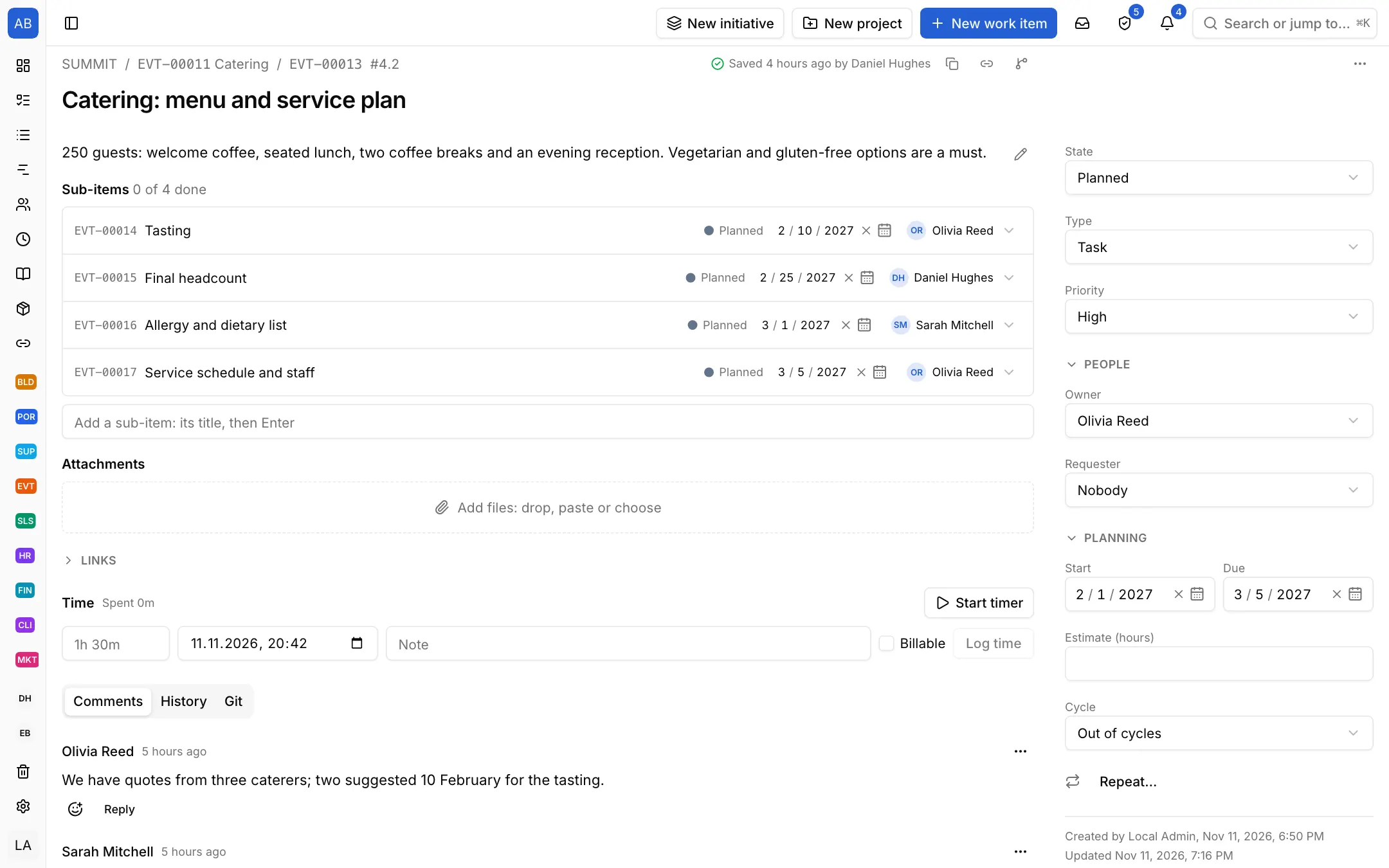
A task such as catering keeps its steps, what was agreed with the supplier and the headcount on one record. The details stay even if the owner changes.
Each setup is a starting point drawn from how that kind of work commonly runs: the state names, item types and steps come from the words those teams use. It does not know your process, so everything in it is yours to change. Tell us what is missing at destek@neoli.app and we improve the setups.
Make the event day a milestone and link the work to it with dependencies; when a task slips, the Gantt chart shows how much slack is left.
Invite a supplier as a guest and add them only to the items they work on; details and messages stay on the item.
Each event is a project; group them under an initiative and see them all on the roadmap and the dashboard.
Start with the General setup: it comes with phases, tasks and milestones; you add your own states, item types and fields. When it fits, keep the project as a template.
Start with the General setupOpen your workspace in a minute and invite your team.
Start free