The pipeline with its amounts
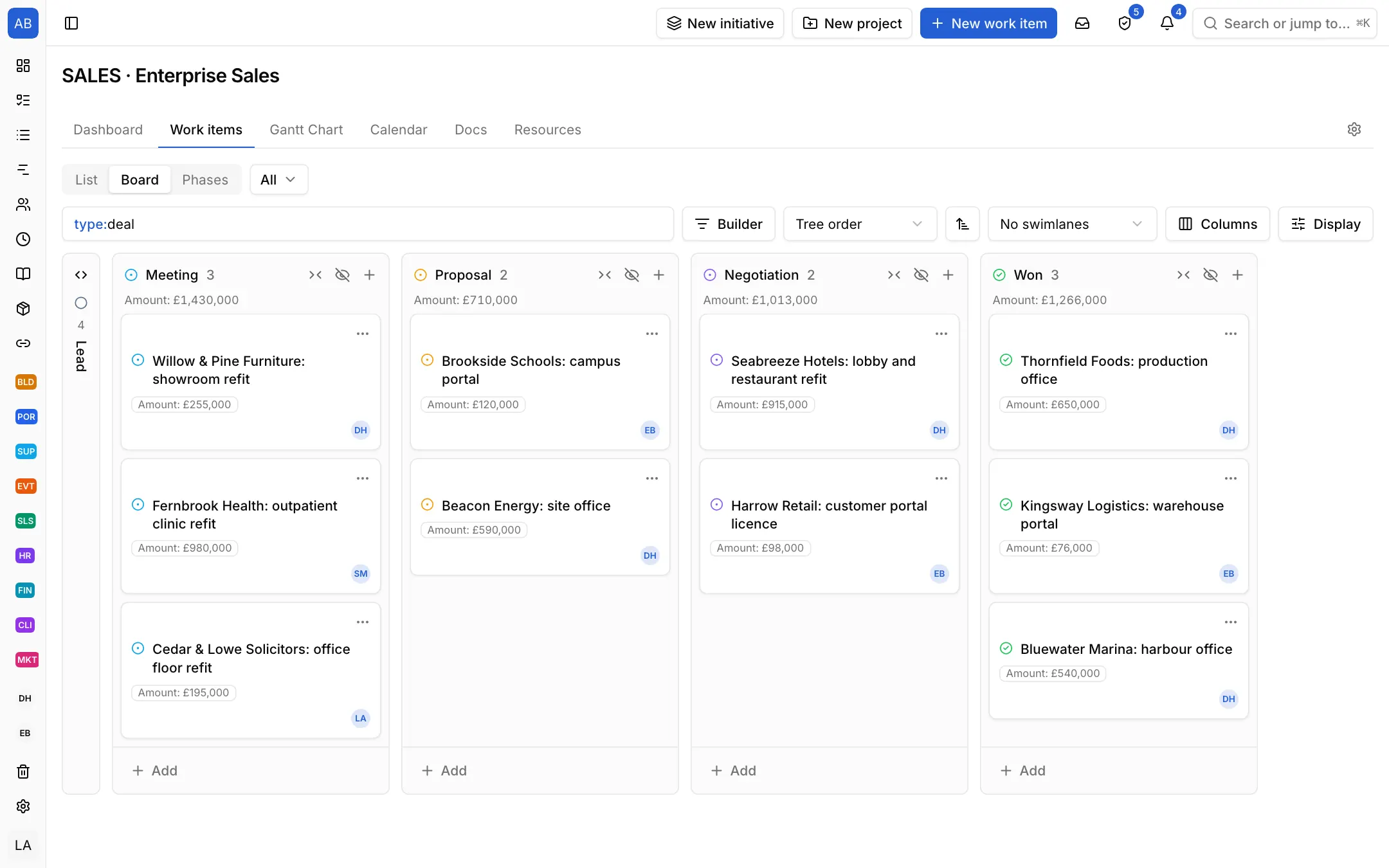
Lead, Meeting, Proposal, Negotiation and Won come set up. Add an amount field with its currency: it shows on the cards, and each column shows its stage's total. Drag a deal on to its next stage.

Industries / Sales
Every deal is a card with its stage, its amount and its next step. The follow-up after a proposal is not forgotten, and the board tells you what will close this quarter.
The problem
Deals live in each rep's own spreadsheet, follow-up dates in calendar notes. Which deal is at which stage and what will close this month is learned by asking around the table at the weekly meeting.
Lead, Meeting, Proposal, Negotiation and Won come set up. Add an amount field with its currency: it shows on the cards, and each column shows its stage's total. Drag a deal on to its next stage.
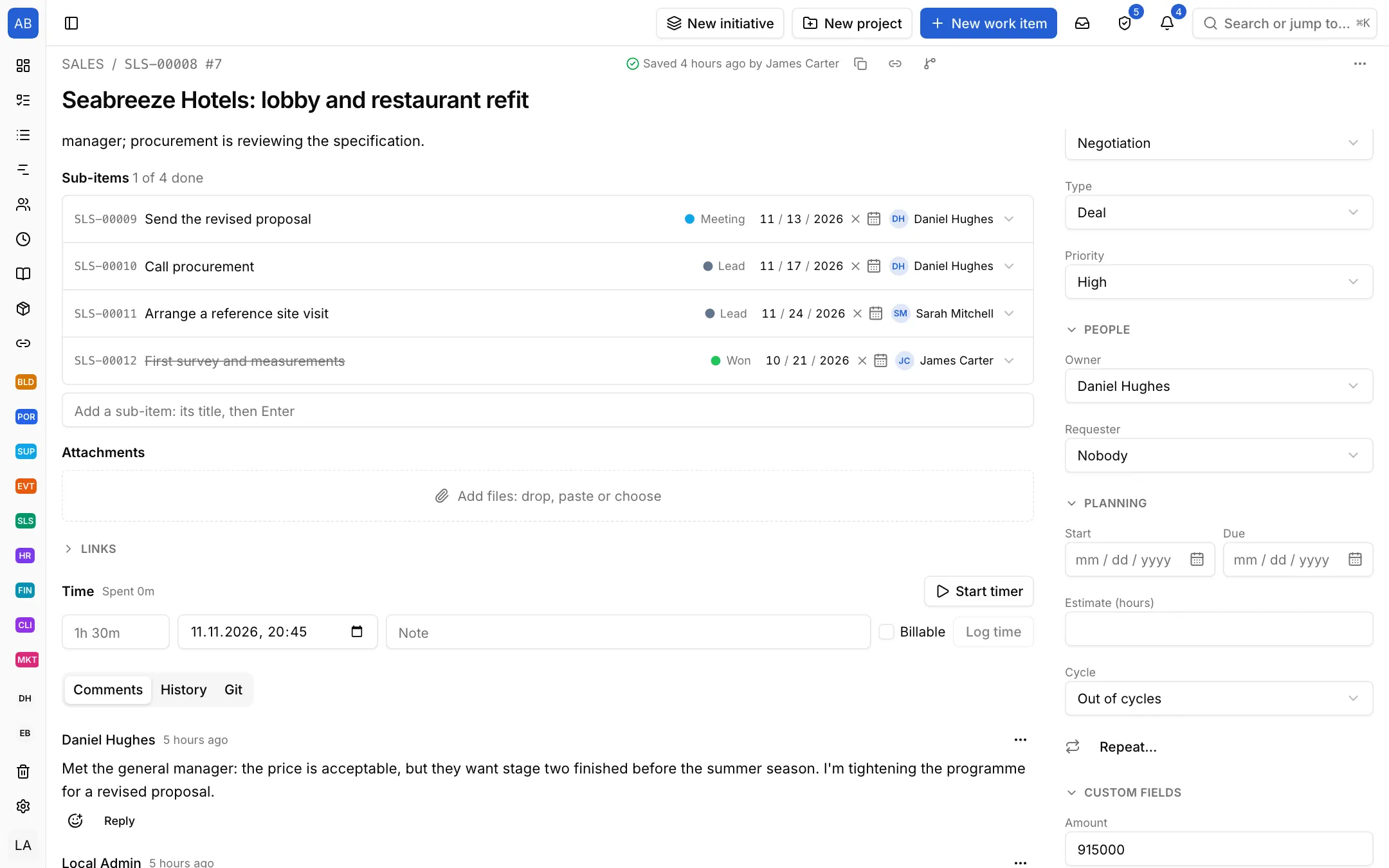
Open the next steps as the deal's sub-items; the deal template comes with first meeting, send the proposal and follow up. Each step has a date and an owner; a follow-up past its date lands in the Overdue view.
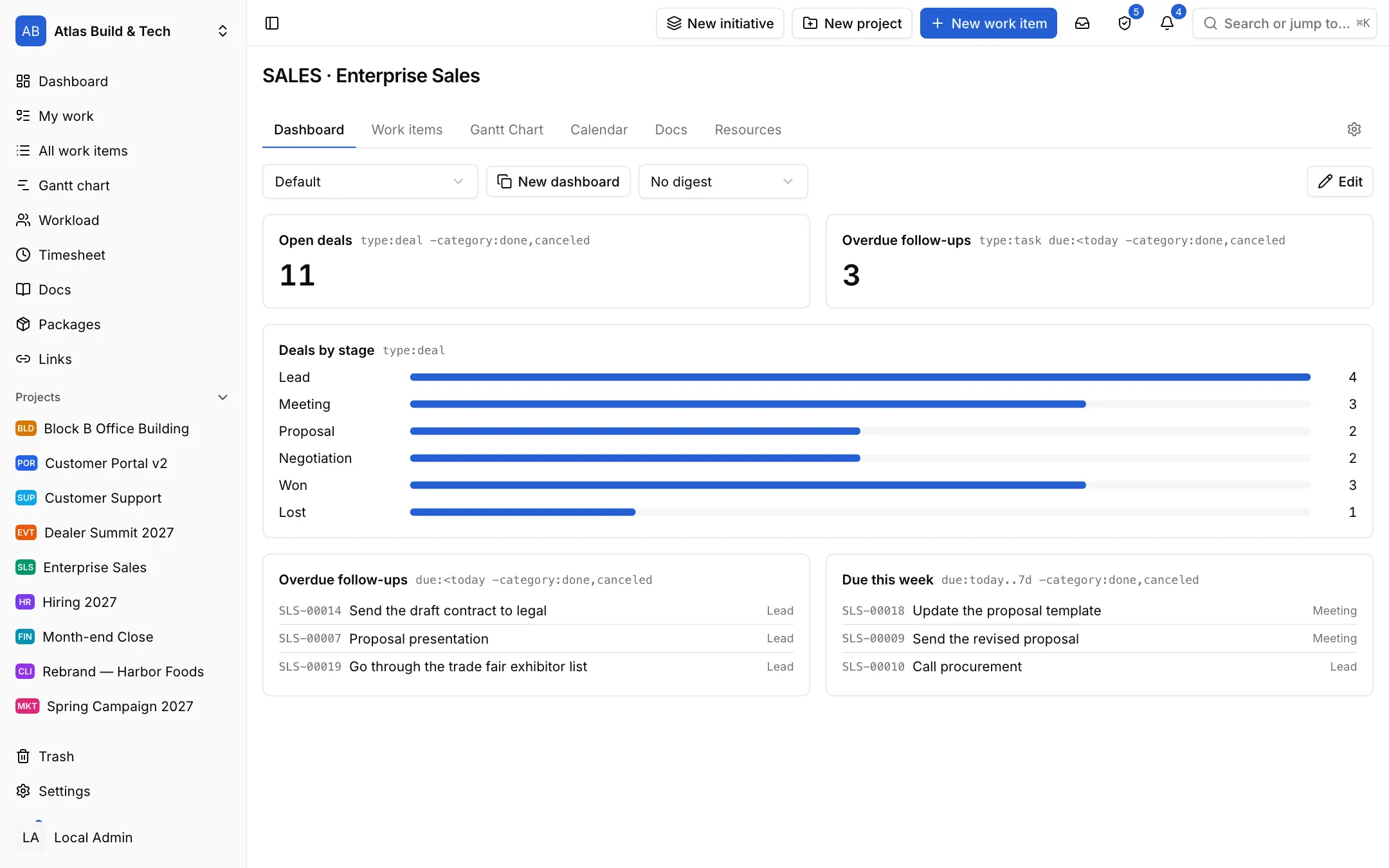
Put open deals, deals by stage, overdue follow-ups and this week's work on the project's dashboard. A manager sees where things stand without waiting for the meeting.
Each setup is a starting point drawn from how that kind of work commonly runs: the state names, item types and steps come from the words those teams use. It does not know your process, so everything in it is yours to change. Tell us what is missing at destek@neoli.app and we improve the setups.
Add a number field with a currency (such as Amount, in GBP); it shows with its symbol on cards and in the table, the board shows each stage's total at the top of its column, and NQL filters by it.
Give follow-up steps a date; steps past their date land in the Overdue view and show in the morning brief and its e-mail.
It is enough to track deals and their follow-ups; it has no contact and company directory or e-mail tracking.
Start with the General setup: it comes with phases, tasks and milestones; you add your own states, item types and fields. When it fits, keep the project as a template.
Start with the General setupOpen your workspace in a minute and invite your team.
Start free