This month's close checklist
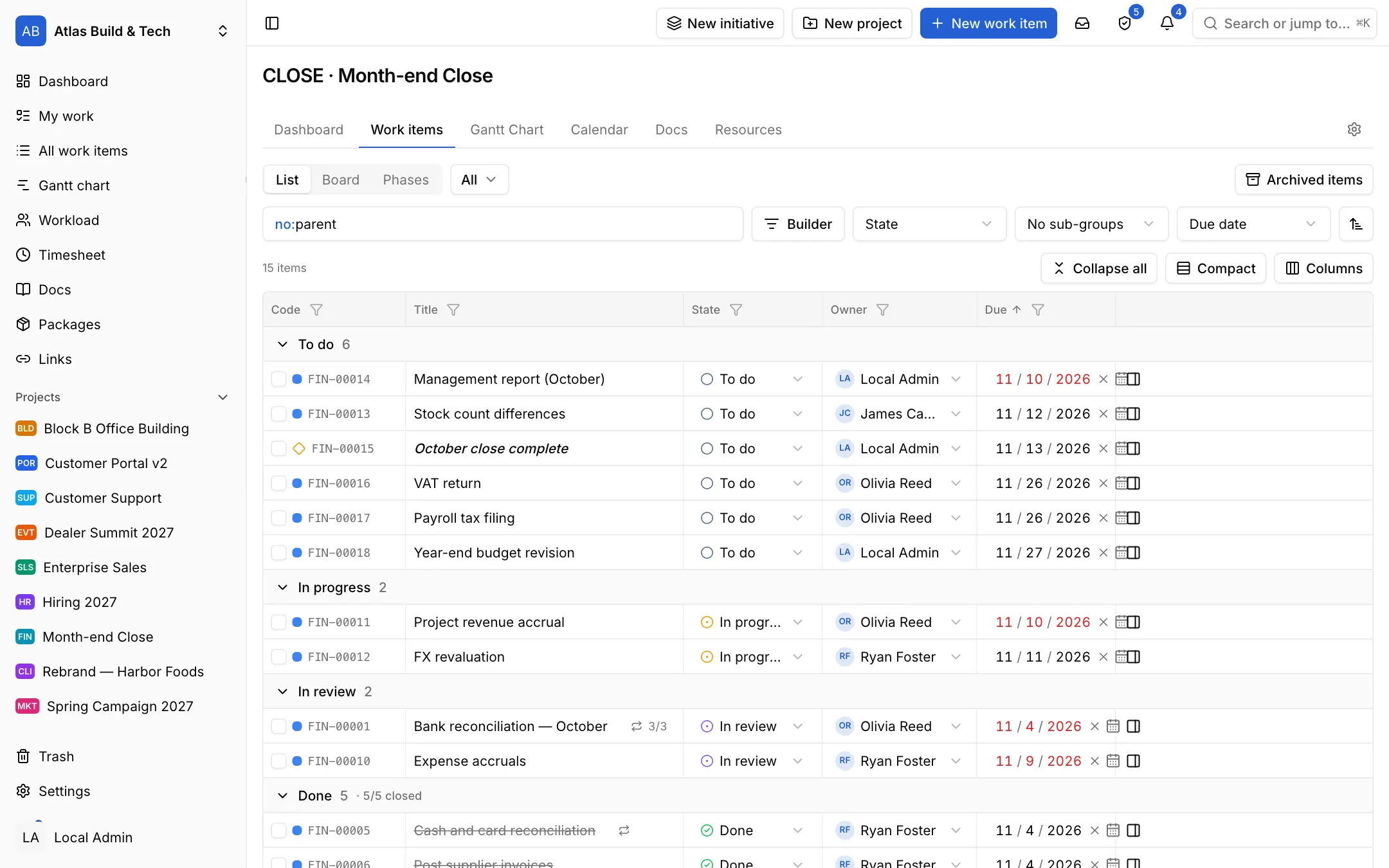
The month-end template brings the steps from the bank reconciliation to the management report. Every task's owner, date and state sit in one list; the ones repeating every month carry their mark.

Industries / Month-end close
The close checklist is set up once and repeats every month. Every task has an owner and a date; when a reconciliation is done a second person approves it, and the day the management report goes out is known from the start.
The problem
The close steps are in a spreadsheet that is copied every month with its dates changed by hand. Who has the bank reconciliation and whether the VAT return will make it is found out by e-mail.
The month-end template brings the steps from the bank reconciliation to the management report. Every task's owner, date and state sit in one list; the ones repeating every month carry their mark.
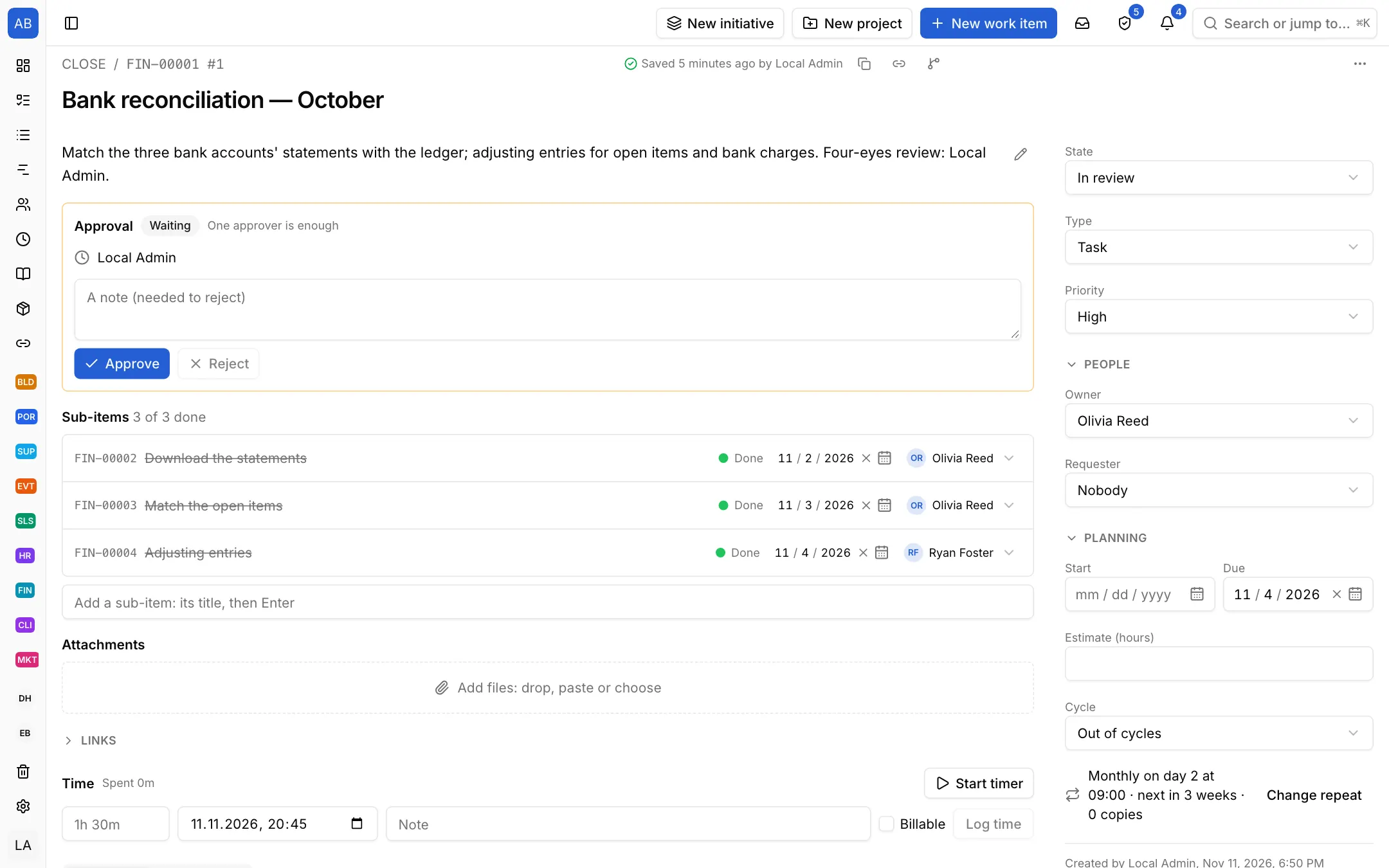
Set a task to repeat every month and next month's task opens on its own. When a reconciliation is done, ask a second person to approve it; the approval or rejection stays on record.
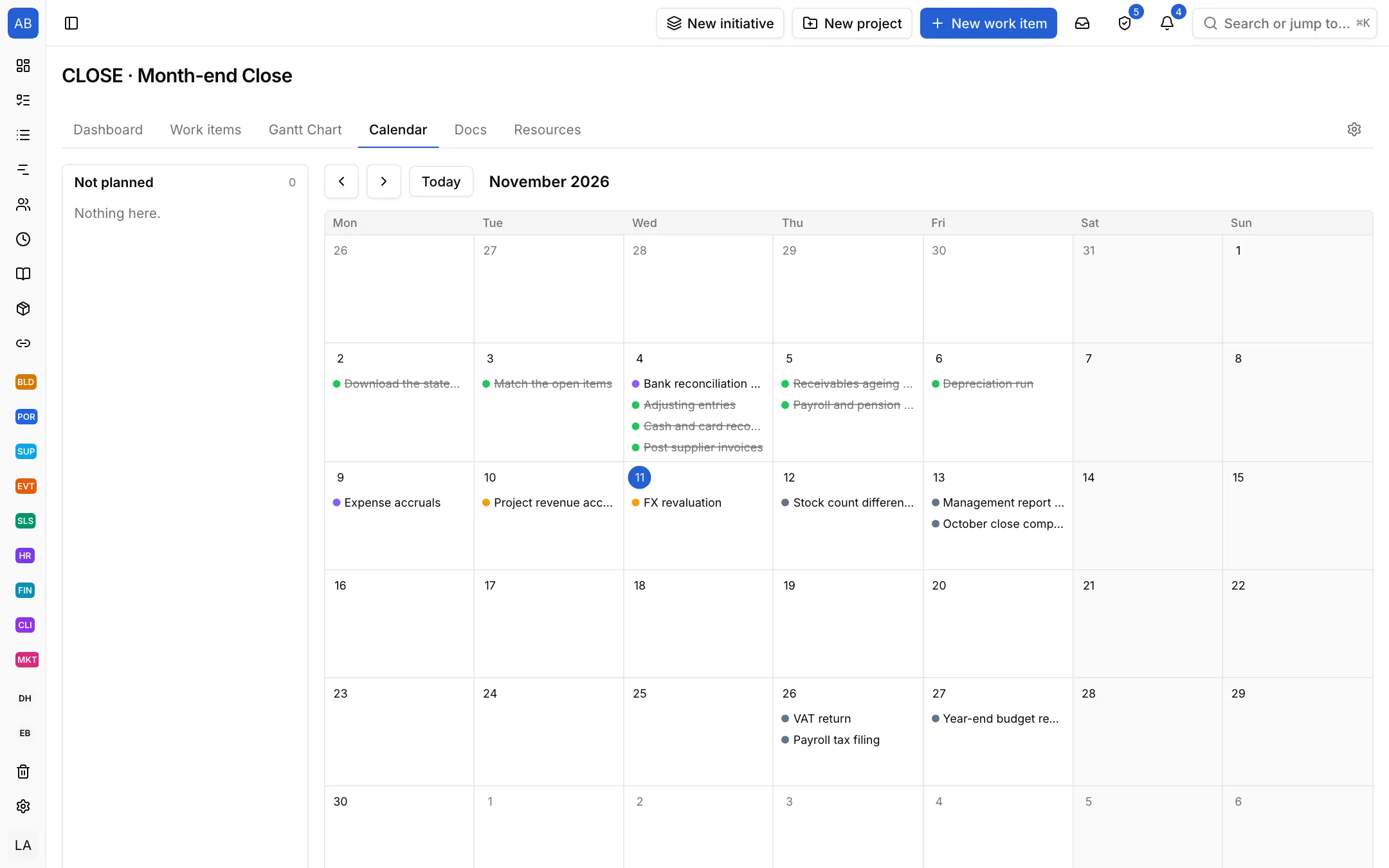
The calendar shows which task is due on which day of the month, so you see the busy days ahead and spread the work.
Each setup is a starting point drawn from how that kind of work commonly runs: the state names, item types and steps come from the words those teams use. It does not know your process, so everything in it is yours to change. Tell us what is missing at destek@neoli.app and we improve the setups.
You set the items to repeat monthly; next month's item opens on its own on its date.
Give the In review state an approver or ask for approval from the item; the approval or rejection stays on record.
Every change is recorded with who, when and through what; you see an item's history and export the workspace's audit log.
Start with the General setup: it comes with phases, tasks and milestones; you add your own states, item types and fields. When it fits, keep the project as a template.
Start with the General setupOpen your workspace in a minute and invite your team.
Start free