The content calendar
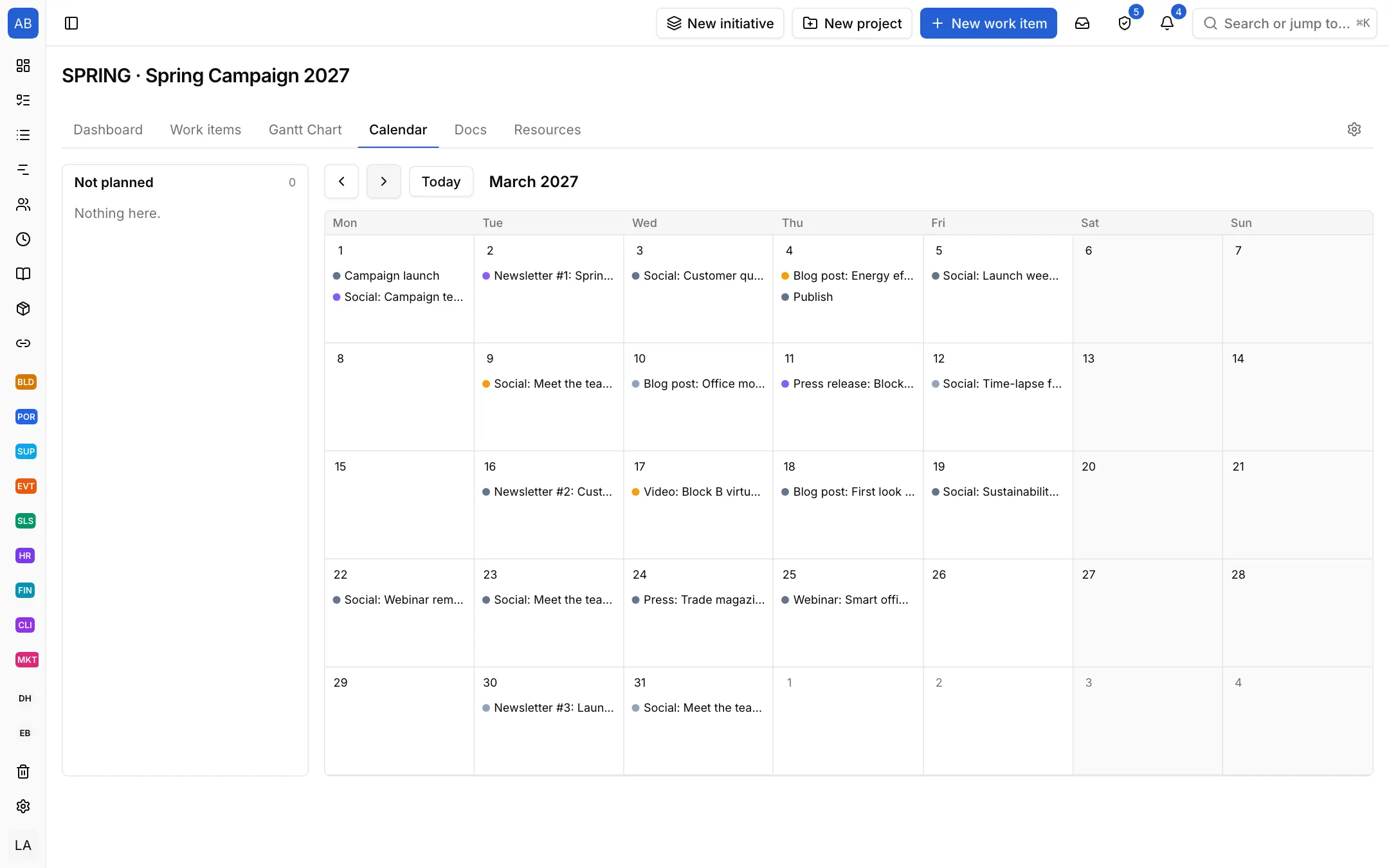
Every piece shows on the calendar on its publish date. You see at a glance which weeks are empty and which are crowded, and balance the plan.

Industries / Marketing
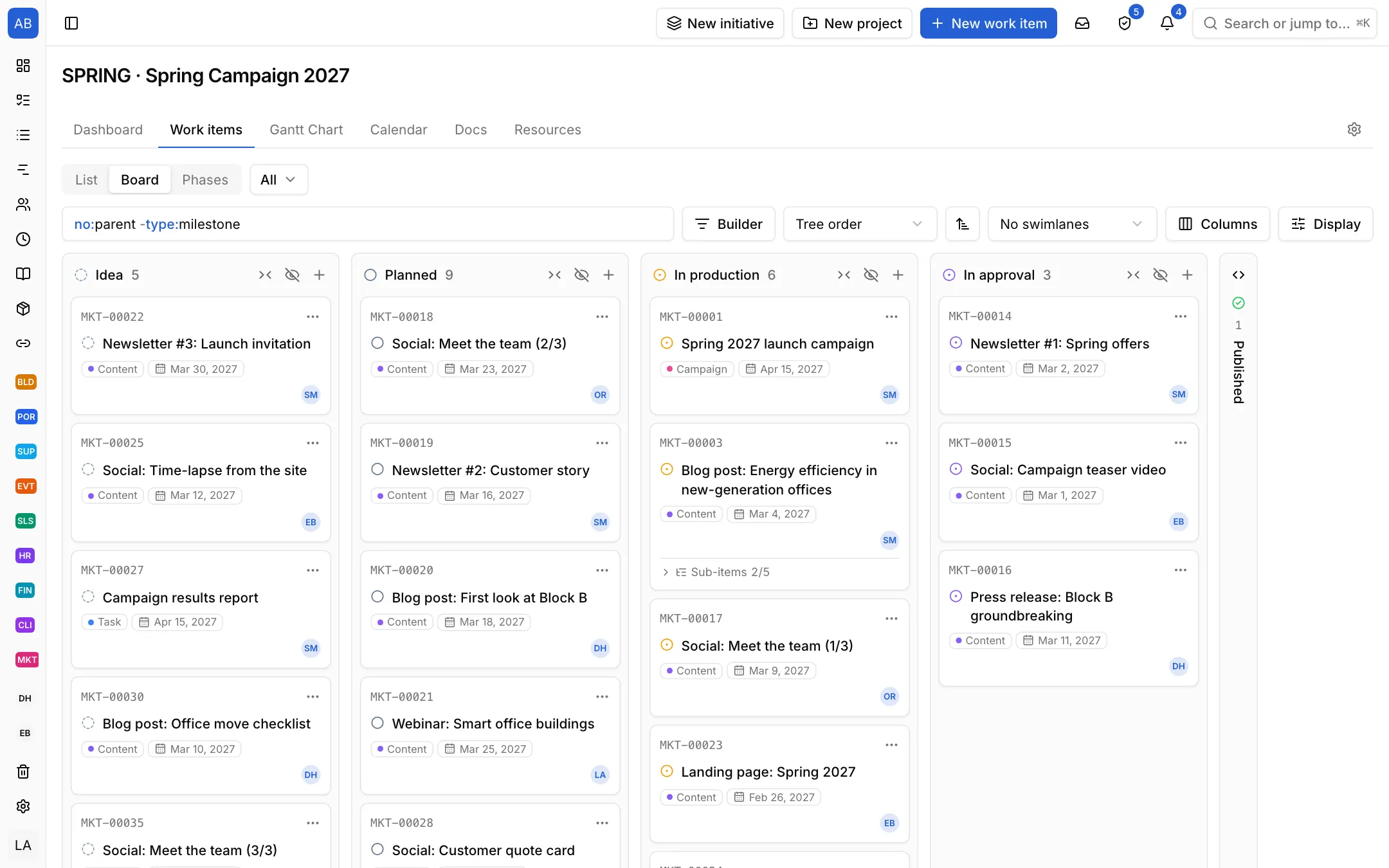
Campaigns and content move from idea to published in one flow. Publish dates sit on the calendar, pieces waiting for approval in their own column, and the content template brings every piece's steps from the start.
The problem
The campaign plan is in a spreadsheet, drafts in shared folders, approvals in e-mail. Which piece is waiting on whom, and whether it will make its publish date, only becomes clear on the day.
Every piece shows on the calendar on its publish date. You see at a glance which weeks are empty and which are crowded, and balance the plan.
Give the In approval state an approver: when a finished piece moves there, a request goes out and the piece waits on the approver's Approvals page. On the board, what waits for approval has its own column; the approval or rejection stays on record.
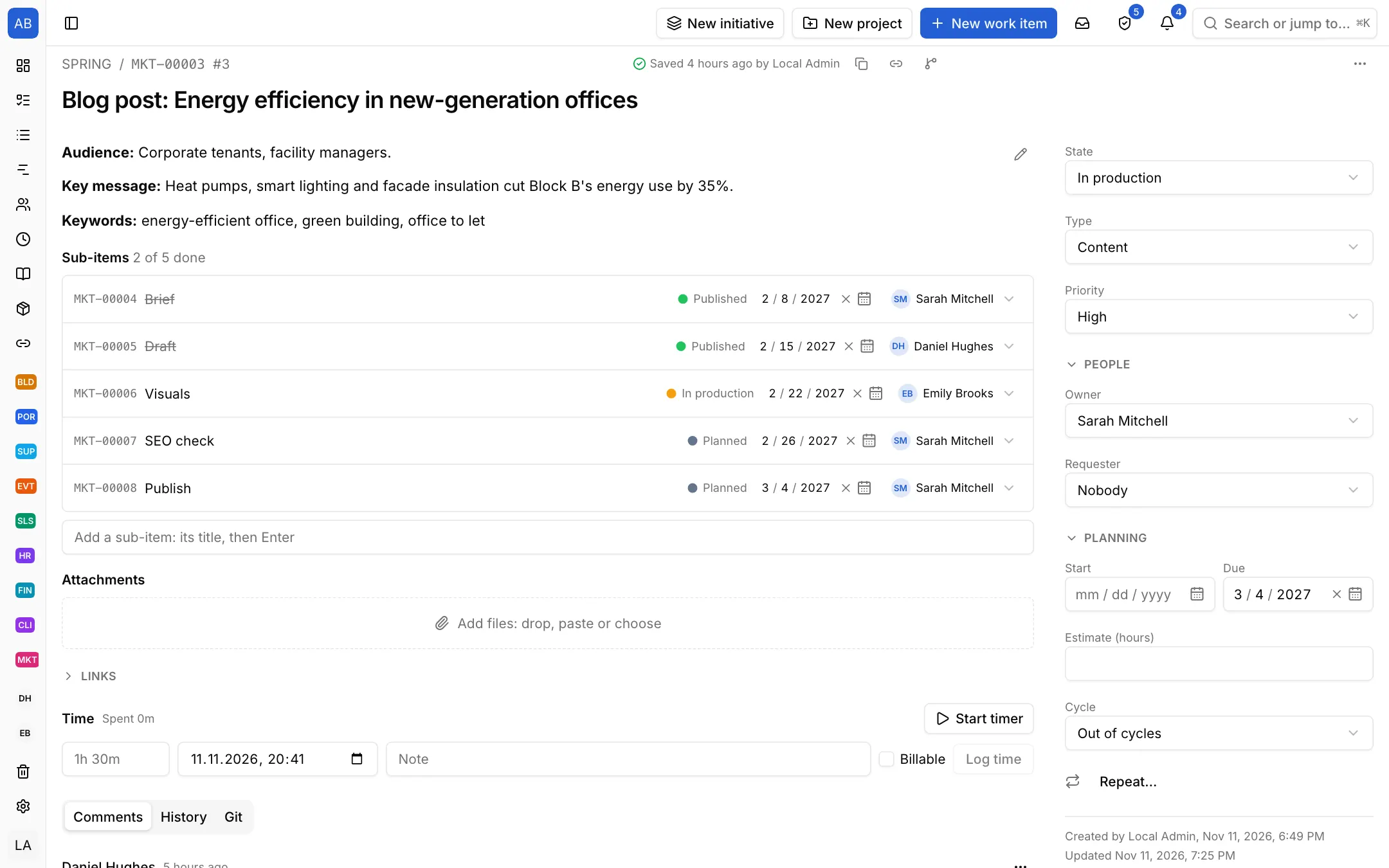
The content template brings draft, editing, visuals and publish as sub-items, and you can set up your own, such as a blog post template. It is clear who is on which step, and no step is forgotten.
Each setup is a starting point drawn from how that kind of work commonly runs: the state names, item types and steps come from the words those teams use. It does not know your process, so everything in it is yours to change. Tell us what is missing at destek@neoli.app and we improve the setups.
Give the In approval state an approver; when a piece moves there a request goes out, and the approval or rejection stays on record.
The calendar view shows the pieces on their publish dates; save the filtered view and share it with the team.
Yes. Define your own item templates with their steps, for a blog post, a newsletter or a social media post.
Start with the General setup: it comes with phases, tasks and milestones; you add your own states, item types and fields. When it fits, keep the project as a template.
Start with the General setupOpen your workspace in a minute and invite your team.
Start free